Using Quarter Inch · Starting a quilt
Choose a quilt layout: sashing, on point, half drop, more
Eleven layouts, from Side by side to One big star, drawn by the app itself, with the choices each one gives you.
The short answer
Quarter Inch has eleven layouts, chosen in New quilt’s Layout step: seven for square blocks (Side by side, With sashing, On point, Alternating, Columns, Half drop, Medallion) and four of diamonds and hexagons (Hexagons, Triangles, Tumbling blocks, One big star). Change it later with Change the layout.
The layout is how the blocks are set. Quarter Inch has eleven, in two groups: Squares for square blocks, and Diamonds and hexagons for shapes cut at 60° and 45°. You choose one in the second step of a new quilt, and you can change most of them later in the designer.
For what each layout is and when to use it, whatever you design with, read Quilt layouts explained. This page is about where each one is in the app and what it lets you set.
Choose a layout
Start a quilt with New quilt and Guided, and choose a size under How big?
Under Layout, tap a card. The quilt on the right is drawn again at once, with its finished size and how many blocks.
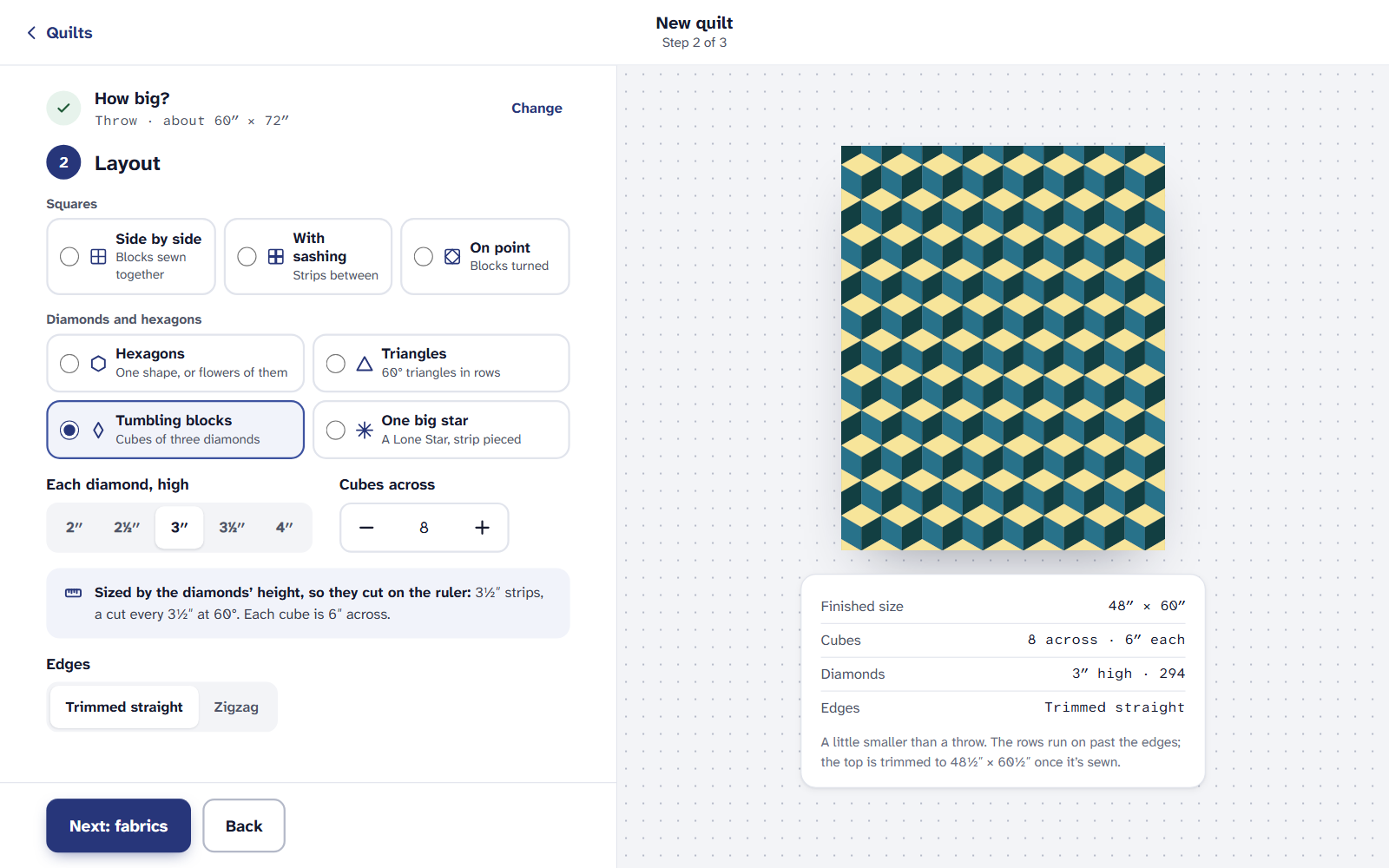
The Layout step: the cards, then that layout’s own choices. Set the layout’s own choices under the cards (block size, sashing, strips and so on), then choose Next: blocks and fabrics.
Layouts of square blocks
These seven take any square block from the library or your own. Each has a Block size (6″, 8″, 9″, 10″, 12″ and 14″, or Other for any size from 2″ to 24″ in eighths), Blocks across and Blocks down (up to 60 each), and borders.
- Side by side: nothing more to set.
- With sashing: the Sashing width, 1″, 1½″, 2″ and 3″. Cornerstones sit where the strips cross.
- On point: the blocks are turned 45°, with plain squares between and setting triangles around the edge. The facts say how big a block is corner to corner, to the nearest ⅛″. Setting and corner triangles has the cutting sizes.
- Alternating: your block fills every other square and the squares between stay plain. In the third step, Alternate two blocks puts a second block between instead.
- Columns: Strips between the columns (2″, 3″, 4″ and 6″) and Blocks in the columns: Straight or On point. This is the strippy quilt.
- Half drop: every other column drops by half a block. The half blocks at the ends of a column are cut as halves, and the facts count them.
- Medallion: one block in the middle (12″, 16″, 18″, 20″ and 24″) and up to 6 Rounds of borders, each plain, with corner squares, or pieced. It starts with four rounds: corner squares, a sawtooth, a plain round and a checkerboard.
Diamonds and hexagons
These four are made of their own shapes, so the third step is Fabrics alone, and their sizes are set the way their rulers and papers are measured.
- Hexagons: By hand, over papers (sized by Each side: ¾″, 1″, 1¼″ and 1½″, as papers are sold) or By machine (sized Across the flats: 2″, 3″, 4″, 5″ and 6″, as hexagon rulers measure). Colored as: Flowers or One by one.
- Triangles: Each row, high (3″, 3½″, 4″, 5″ and 6″) and how many Rows.
- Tumbling blocks: Each diamond, high (2″, 2½″, 3″, 3½″ and 4″) and Cubes across.
- One big star: Strips, cut (1½″, 2″, 2½″ and 3″) and Diamonds a side (3 to 9). The star is sized by its strips, and a border fills it out to the bed size.
Hexagons, triangles and tumbling blocks also ask about the Edges: Trimmed straight, or the shapes’ own Zigzag. More in Diamonds, hexagons and 60° grids.
Change the layout later
Open the quilt in the designer. On the right, beside Layout, choose Change the layout.
Under Set, choose Side by side, Sashing, On point, Alternating, Columns or Half drop. Change Across, Down and the Block size (6″, 8″, 9″ and 12″ or Other) in the same panel.
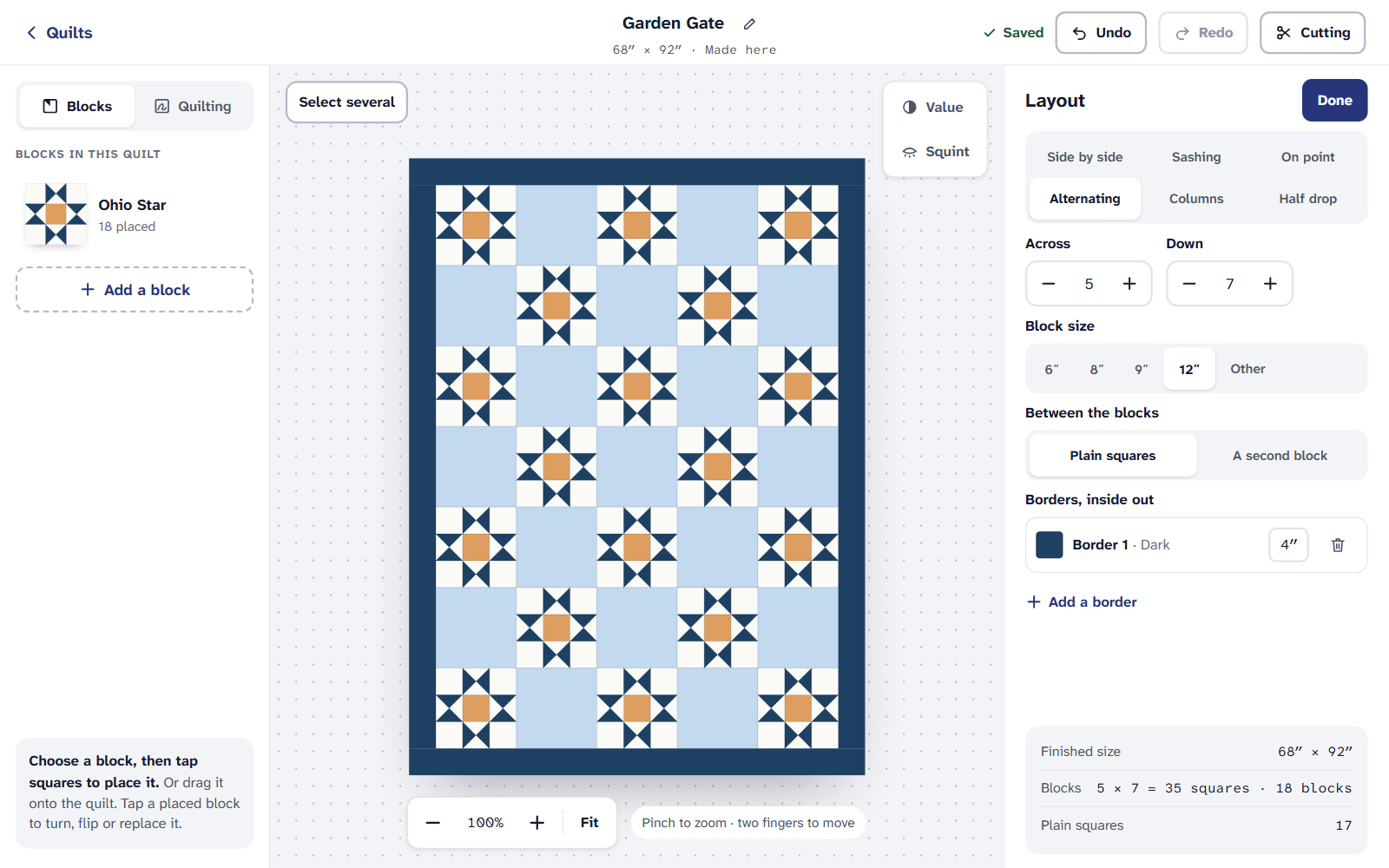
The Layout panel. Every change is one step for Undo. The blocks you placed stay where they were wherever they still fit. New squares get the quilt’s first block.
A medallion is side by side with one block once it’s made, and its rounds are its borders. Hexagons, triangles, tumbling blocks and one big star keep their own layout: their Change the layout opens the same choices New quilt has for them.
On an iPad or a phone
All eleven layouts are on the Free plan, for up to 3 quilts at a time. Quilter adds the cutting chart and printing, and more quilts.
If it doesn’t look right
- Make my quilt waits, with a reason. A layout with more squares than the designer can hold, or a pieced border that can’t fit (a checkerboard around an odd length, say), says why. Try bigger blocks, fewer of them, or another border width.
- A hexagon block won’t go in a square layout. Blocks drawn on 60° grids go in a hexagon layout, as tumbling blocks do.
- The size is a little off what you chose. Layouts use whole blocks. See Make a quilt bigger or smaller.
Checked against the app on
Questions
Short answers.
Something else? A real person replies.
hello@quarterinch.app
How many layouts does Quarter Inch have?
Eleven: Side by side, With sashing, On point, Alternating, Columns, Half drop and Medallion for square blocks, and Hexagons, Triangles, Tumbling blocks and One big star.
Can I change a quilt from side by side to on point?
Yes. In the designer, choose Change the layout and pick On point under Set. Your blocks stay where they fit, and Undo takes it back.
Can I make a strippy quilt?
Yes. Choose Columns, then the strips between the columns and whether the blocks in them are straight or on point.
Are the layouts free?
Yes, all of them, for up to 3 quilts at a time on the Free plan.