Using Quarter Inch · Starting a quilt
Add borders to a quilt: plain, corner squares, pieced
Up to four borders, each plain, with corner squares or pieced. Pieced ones are made to fit exactly, and the app says how.
The short answer
Give a quilt up to four borders; pieced ones are made to fit exactly. In New quilt’s Layout step, or the designer’s Change the layout, tap a border to choose its width and style: Plain, Corner squares, Sawtooth, Flying geese, Piano keys or Checkerboard. Add a border adds one outside the others.
A border goes around the outside of the blocks. A quilt can have up to 4 borders (a medallion up to 6 rounds), listed inside out: Border 1 is next to the blocks. Each one is a width and a style.
The six styles
- Plain: one fabric, cut as strips.
- Corner squares: a plain border with a square of another fabric in each corner.
- Sawtooth, Flying geese, Piano keys and Checkerboard: pieced borders, made of half-square triangles, geese, strips and squares. They’re cut and sewn like the blocks, and the Cutting page counts their pieces.
For how to plan pieced borders by hand, see Pieced borders: sawtooth, flying geese and more.
Borders in a new quilt
In the Layout step of New quilt, under Borders, tap a border’s chip, for example Border 1.
Choose its width (1″, 1½″, 2″, 3″, 4″, 5″ and 6″), then its style. To take it off, choose Remove border under it.
For another border outside it, choose Add a border. It starts at 2″.
Borders in the designer
Open the quilt and choose Change the layout. The borders are under Borders, inside out.
Tap a border’s width to open its menu: the widths (½″, 1″, 1½″, 2″, 2½″, 3″, 4″, 5″ and 6″), then Style with the six styles.
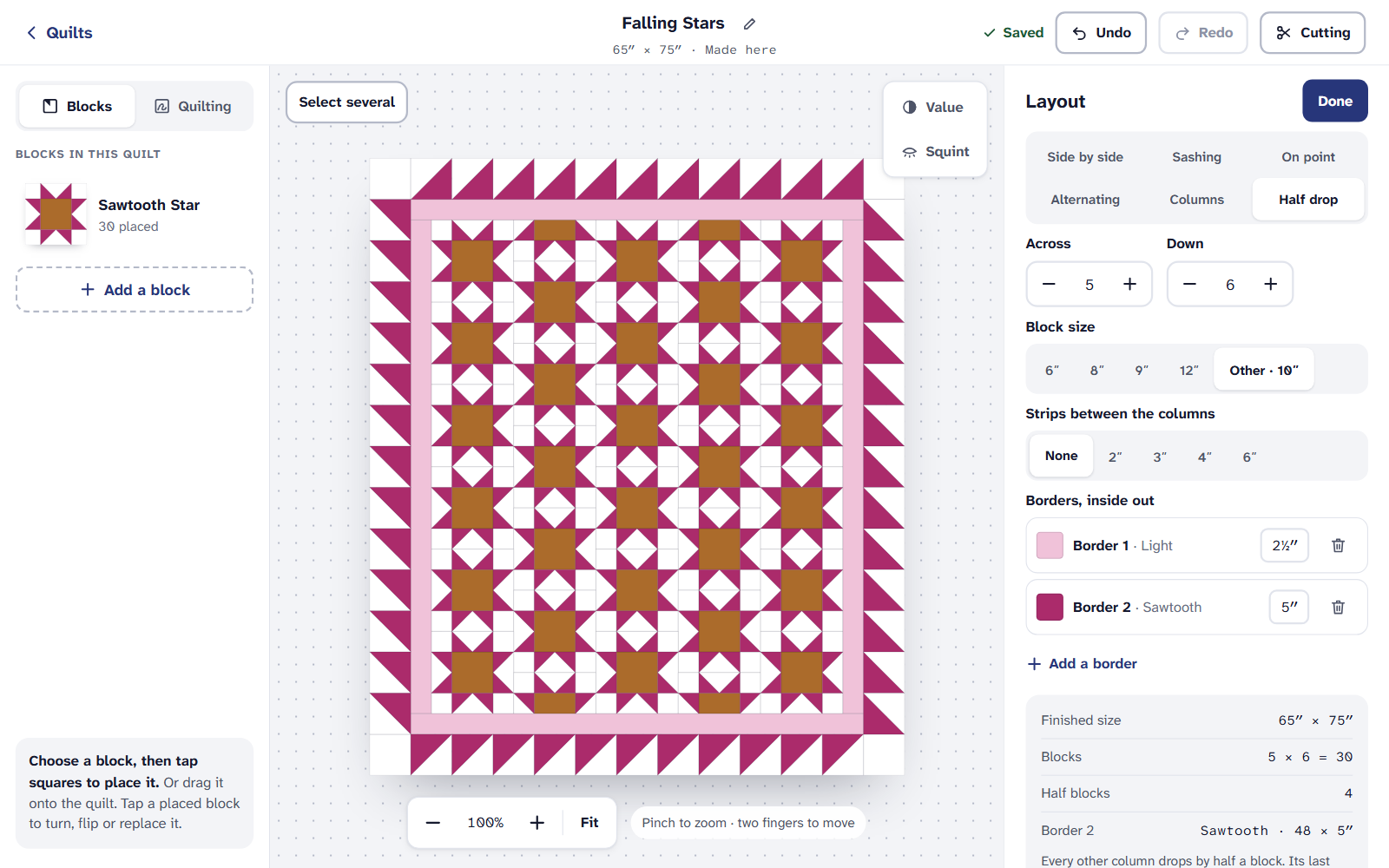
A border’s menu: its width, then its style. Add a border adds one outside the others. The bin beside a border removes it. Each change is one step for Undo.
How a pieced border is made to fit
A pieced border only works if a whole number of its units fits each side. When they don’t, Quarter Inch fixes it at once and says what it did, with Undo in the note:
- it adds a narrow plain spacer border just inside it, so the units fit exactly; or
- it uses the nearest unit size that fits.
If you just chose the border’s width yourself, it keeps your width and adds a spacer. A spacer is listed with the other borders, so you can see it and change it. When nothing makes it fit, it says so and suggests another width, another block size, or more or fewer blocks.
On an iPad or a phone
Every border style is on the Free plan, for up to 3 quilts at a time. The cutting chart for them, and printing, need Quilter.
If it doesn’t look right
- There’s a border you didn’t add. It’s a spacer that makes a pieced border fit. Undo in the note takes it back, with the change that needed it.
- A checkerboard won’t go around. Its squares must fit each side whole. Try another width or block size.
- You want the yardage for a border. It’s on the quilt’s Yardage, free. For the sums by hand, see Quilt borders: how to measure and cut them.
Checked against the app on
Questions
Short answers.
Something else? A real person replies.
hello@quarterinch.app
How many borders can a quilt have?
Up to 4. A medallion can have up to 6 rounds.
Why did a spacer border appear?
A pieced border needs a whole number of units on each side. When they don’t fit, Quarter Inch adds a narrow plain spacer inside it, and says so with Undo.
Can I make a sawtooth border?
Yes. Tap the border, then choose Sawtooth under its style. Flying geese, piano keys and checkerboard are there too.