Using Quarter Inch · Getting started
Start from a sample quilt and make it your own
Starting from a finished quilt is easier than a blank page. Quarter Inch has six samples, each one ready to make your own.
The short answer
Start from one of six finished quilts instead of a blank page, and change it as you like. Choose All samples in your library (or From a sample in New quilt), then Make it mine. Quarter Inch saves a copy to your library and opens it in the designer.
The six sample quilts
Each sample shows off one thing worth trying. Making one yours saves a copy you can change completely: the blocks, the layout, the fabrics and the size.
| Quilt | Size | Level | What it shows |
|---|---|---|---|
| Strawberry Patch | Crib, 38″ × 50″ | First quilt | Two easy blocks, alternated. Nearly every cut is a square from a strip. |
| Garden Gate | Throw, 60⅞″ × 73⅝″ | Confident beginner | Churn Dashes on point, with the setting triangles worked out and cut for you. |
| Mill Pond | Throw, 56″ × 72″ | Ready for curves | Curved piecing: quarter circles turned into a meander, cut from templates printed at true size. |
| Barn Raising | Queen, 96″ × 96″ | Intermediate | One Log Cabin block, turned. The turns make the whole design, and every log is a strip. |
| Flight Path | Throw, 54″ × 68″ | Confident beginner | Columns of Flying Geese with plain strips between, cut the no-waste way. |
| County Fair | Full, 81″ × 96″ | Ambitious | Ohio Stars in sashing, then a sawtooth and a checkerboard border that fit the quilt exactly. |
Make a sample yours
In your library, choose All samples under Start something new. Or choose New quilt, then From a sample.
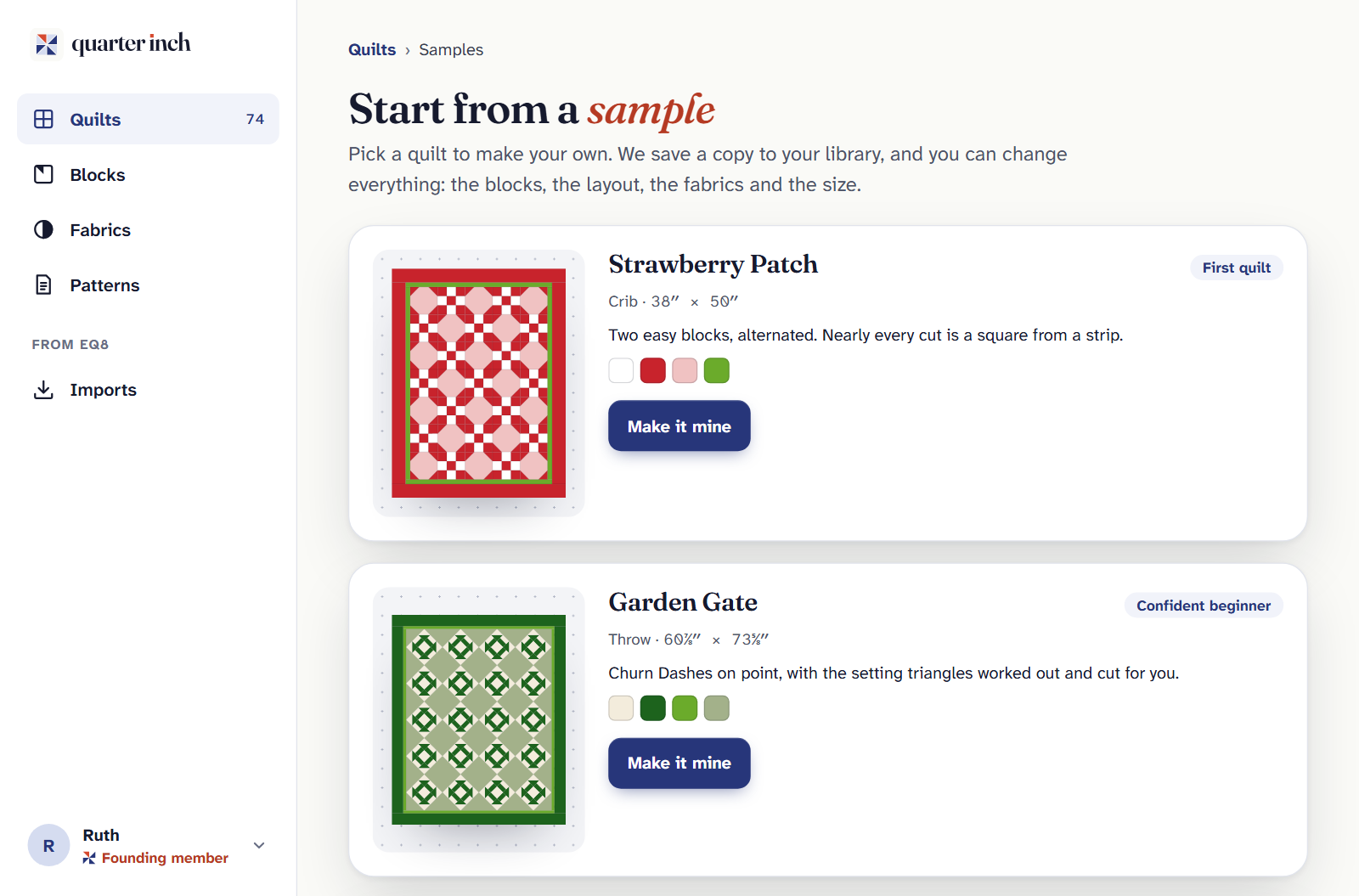
Choose Make it mine under the quilt you want. Quarter Inch saves a copy to your library and opens it in the designer.
Change anything you like. The sample itself never changes, so you can always start from it again.
Already made one yours? Its card says In your library, with Open your copy and Make another copy.
Look before you sign up
On app.quarterinch.app, choose Open the sample under Explore a sample quilt. Strawberry Patch opens without an account: the quilt, its fabrics, What to buy, and the first line of How to cut it. Choose Make it mine to make a free account and start your own copy.
Have EQ8 files? On the same page, See how an EQ8 project opens shows a sample EQ8 file opened in your browser, with its report.
On the Free plan
A copy of a sample is a quilt made here, so it counts as one of the 3 quilts the Free plan designs at once. Delete it when you’re done and its place is free again.
With all 3 in use, Make it mine doesn’t make a copy. It opens the same choice as New quilt: get Quilter, or make room by deleting a quilt you’ve finished with. Looking at the samples is always free.
If it doesn’t look right
- “That’s a lot of new quilts at once.” You’ve made many quilts in the last hour. Try again in a little while.
- You changed your copy and want the original back. Choose Make another copy for a fresh one.
- The samples row is gone from your library. You folded it: choose Show beside Start something new.
More ways in: Four ways to start a new quilt.
Checked against the app on
Questions
Short answers.
Something else? A real person replies.
hello@quarterinch.app
Can I change a sample quilt?
Yes. Make it mine saves a copy that’s yours to change: the blocks, layout, fabrics and size.
Can I see a sample without an account?
Yes. Strawberry Patch opens on app.quarterinch.app with no account, with what to buy and how to start cutting it.
Does a sample count on the Free plan?
Yes. A copy of a sample is a quilt made here, so it’s one of the 3 quilts the Free plan designs at once.
Can I make two copies of the same sample?
Yes. Choose Make another copy on the samples page.