Using Quarter Inch · Changes and versions
Undo changes or restore an earlier version of a quilt
Undo takes back changes one at a time or many at once. Earlier versions keep the quilt as you left it each day, for 30 days.
The short answer
Take back one change, many at once, or go back to how the quilt was on an earlier day. Choose Undo for the last change; to go back further, choose History and Undo back to here on any line. For an earlier day, choose it under Earlier versions and Restore this version.
There are two ways back to how a quilt was:
- Undo takes back your recent changes one at a time, or many at once from History. It’s kept on the device you made them on, even if you close the page.
- Earlier versions are the quilt as you left it on each day you changed it. They’re kept for 30 days, on every device.
Undo and Redo
Choose Undo at the top of the designer to take back the last change, and Redo to bring it back. On a keyboard, press Ctrl+Z (⌘Z on a Mac) to undo and Shift+Ctrl+Z (Shift+⌘Z) to redo.
Each change is one step: a block placed, a tap of Paint, a palette, a border added. Dragging across many squares to place a block is one step too.
Go back several changes at once
Choose History at the top of the designer, beside Undo and Redo.
Under Undo, on this computer (or this iPad, or this phone), your changes are listed newest first, each in words, like “Placed Sawtooth Star in row 3, block 2”. The newest is The last change.
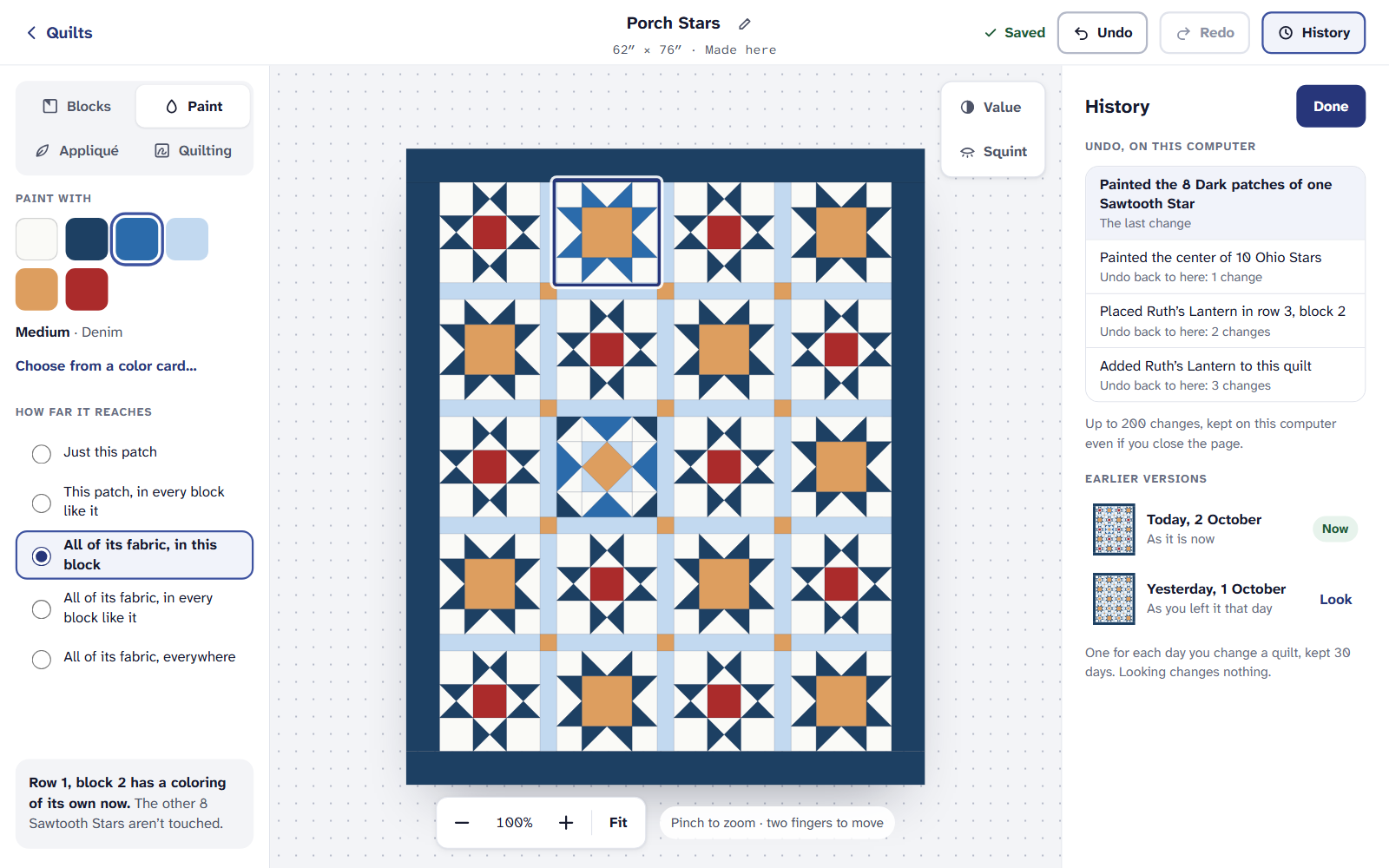
History: recent changes, then earlier versions by day. Choose Undo back to here on any line. Everything after it is undone as one change, so one Redo at a time brings them back.
History keeps up to 200 changes on each device.
Look at or restore an earlier version
In History, under Earlier versions, choose a day. It opens as you left it that day. Looking changes nothing.
Under Today it’s different, the page lists what changed since, in words.
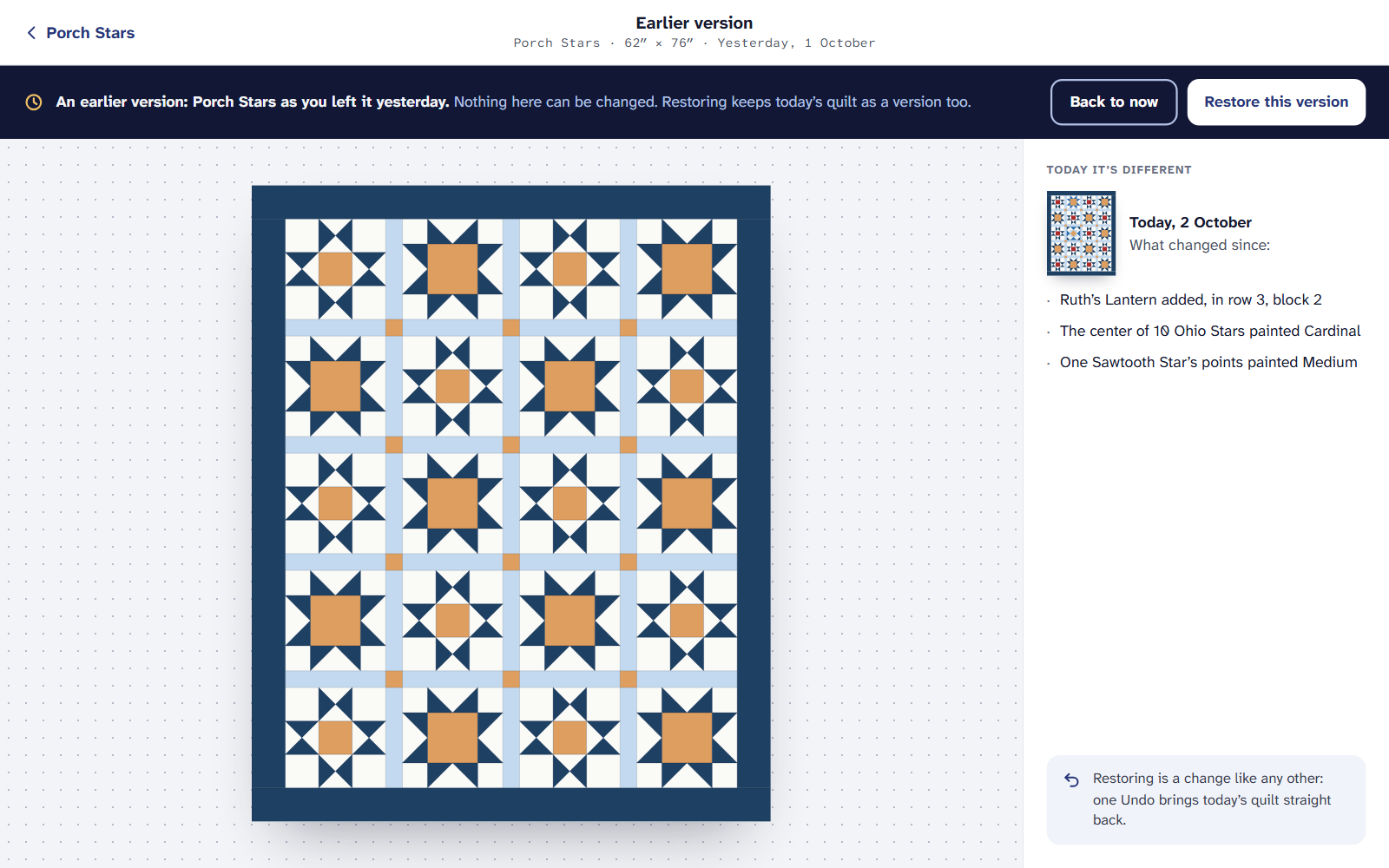
An earlier version, and what’s different today. To go back to it, choose Restore this version. Today’s quilt is kept as a version too, and one Undo in the designer brings it straight back.
A version is kept for each day you change a quilt, for 30 days. A quilt from EQ8 or EQ7 also keeps As it came from EQ8 (or EQ7) for good, from before your first change.
On an iPad or a phone
If it doesn’t look right
- My changes aren’t in History on another device. Undo is kept on the device you made the changes on. Earlier versions are on every device.
- Undo stopped part way. A change can’t be undone when another device changed the same part of the quilt since.
- A version from last month is gone. Daily versions are kept for 30 days. Make a copy of a quilt to keep it as it is for good: Make a copy of a quilt.
Checked against the app on
Questions
Short answers.
Something else? A real person replies.
hello@quarterinch.app
How far back can I undo?
Up to 200 changes, kept on the device you made them on, even after you close the page.
How long are earlier versions kept?
One for each day you change a quilt, for 30 days. A quilt from EQ also keeps how it came from EQ, for good.
Can I undo a restore?
Yes. Restoring is a change like any other: one Undo brings today’s quilt straight back.
Is History free?
Yes. Undo, History and looking at earlier versions are on every plan.