Using Quarter Inch · Help
Design a quilt by describing it in your own words
Say what you’d like to make, and Help shows a plan, asks one or two choices, and builds a draft quilt while you watch. Nothing is yours until you keep it.
The short answer
Tell Help the quilt you’d like and it builds a draft while you watch; nothing is yours until you keep it. Choose New quilt, then Describe it, write what you’d like and choose Make a plan. Check the plan, choose Build it, then Keep it to make it yours.
Describe a quilt
On your quilts, choose New quilt. Under How would you like to start?, choose Describe it.
Under In your own words, say what you’d like to make, the way you’d tell a friend: who it’s for, what they love, the colors you have in mind. For example, “A throw for my nephew. He’s nine and loves the sea.”
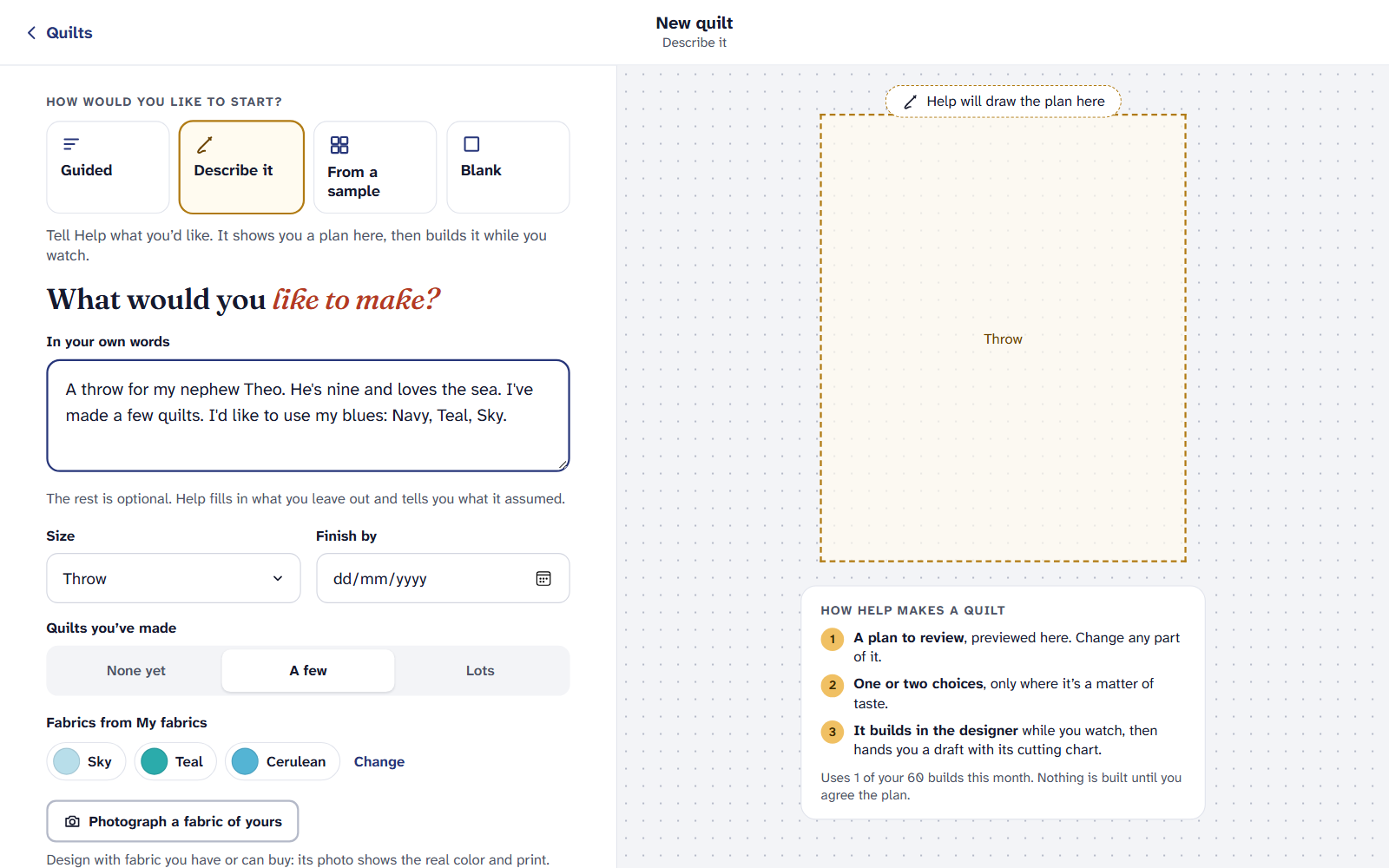
Describe it. Only your own words are needed; Help fills in the rest and says what it assumed. The rest is optional. Choose a Size (or leave it at Help chooses, or choose My own size and type the width and height), a Finish by date, and how many Quilts you’ve made, so Help keeps the blocks to your skill.
To use fabrics you have, choose Choose beside Fabrics from My fabrics and tick them. With fabrics chosen, tick Only these, and nothing to buy if the quilt must come out of what you have: Help says which fabric is short, and by how much, if it can’t.
To start from colors you love, choose Choose a picture and pick a photo: a sunset, your fabric shelf, a quilt you saw. Help finds five colors in it and gives each a part to play. Tap a color to swap it for another one found in the picture.
Choose Make a plan. Nothing is built yet.
Check the plan
In a few seconds Help shows its plan: the size, layout, blocks and colors, a sketch of the layout in grays, and What I assumed for anything you didn’t say. If you asked for something it can’t do, What I can’t do says so, and the rest is planned without it.
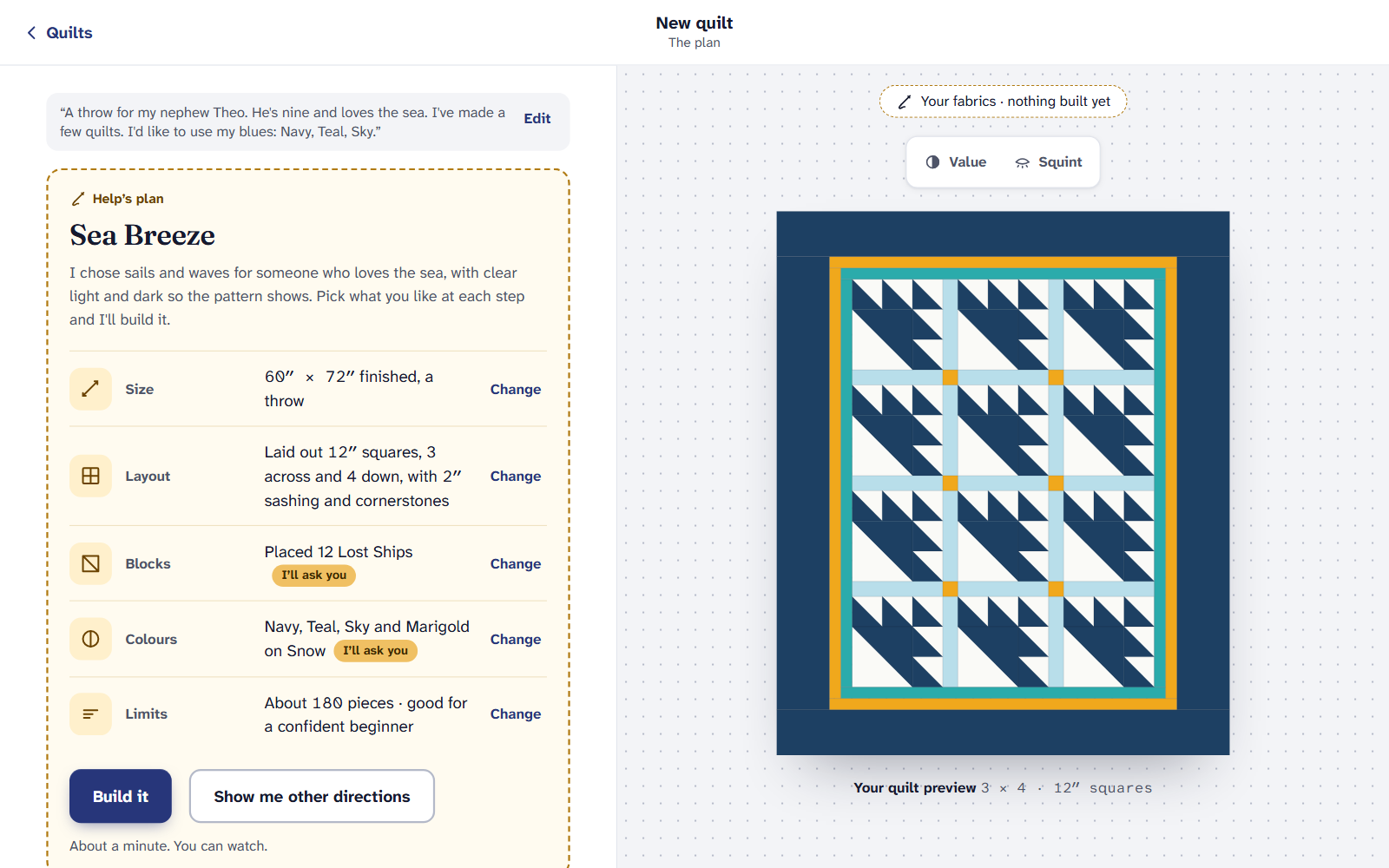
If a row isn’t what you want, choose its Change; for an assumption, choose Not right. Either takes you back to the form, with that part ready to change. Then make the plan again.
To see other quilts from the same words, choose Show me other directions. Nothing is made until you choose Use this on one.
When the plan looks right, choose Build it.
Help may ask you one or two choices, only where it’s a matter of taste, such as which of three blocks. Each is drawn as the quilt it would make, with its piece count. Choose one, or Decide for me. If none suits, None of these goes back to the plan.
Watch it build
Help makes the quilt in the designer, one step at a time: setting out the quilt, placing the blocks, coloring, adding the borders, checking. A gold band shows which step it’s on.
- Pause holds it, and Resume carries on.
- Stop keeps what’s done so far. Each step is already in History.
- Take over gives the tools back to you, with a choice: Do the rest now, all at once, or Leave them out and keep the quilt as it is.
Keep it, or change it
When Help finishes, a summary says what you chose, what Help decided, what it assumed, and what the quilt’s own math checked. The quilt is marked Draft until you decide.
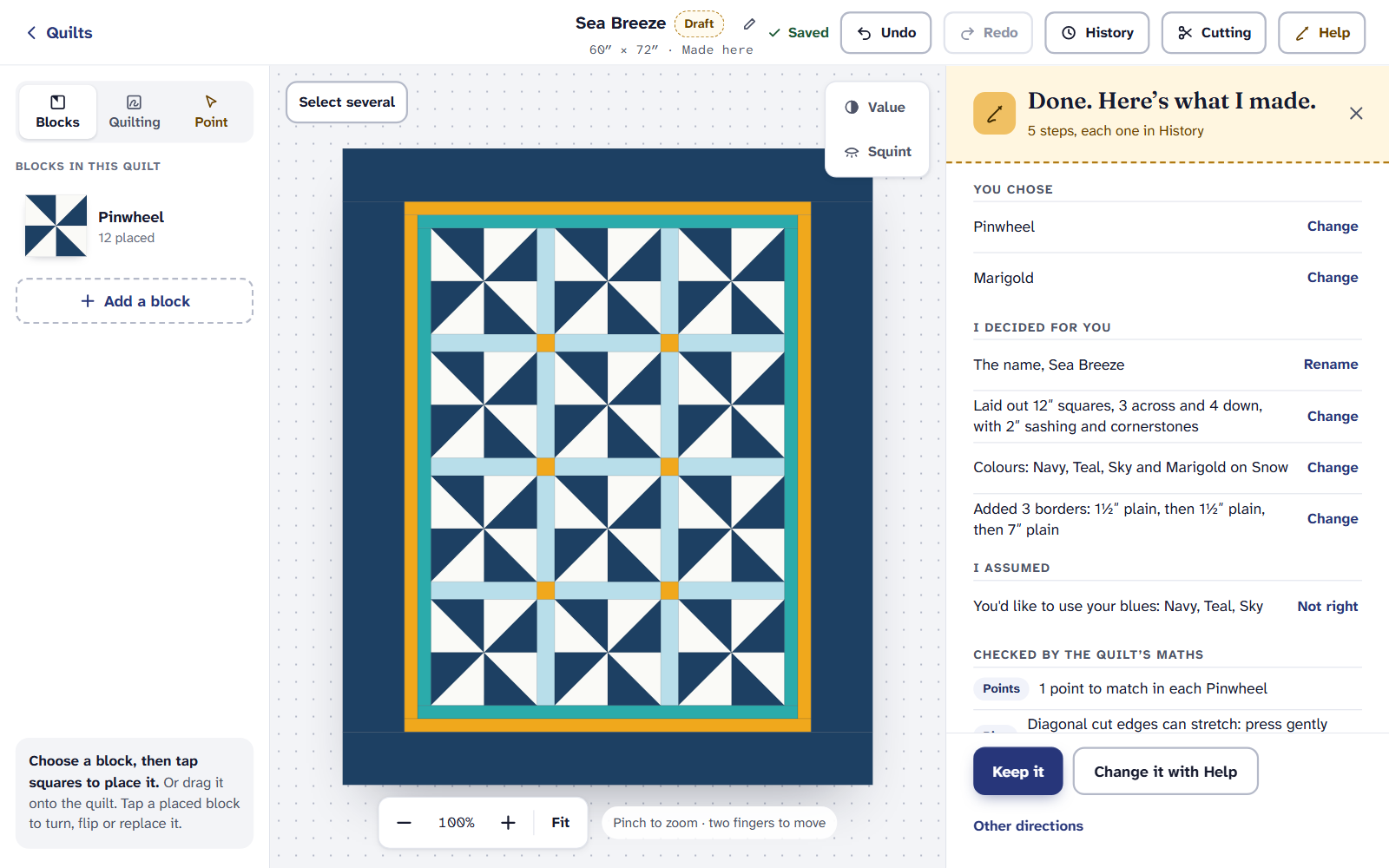
- Keep it makes it an ordinary quilt, with its cutting chart and yardage, like any other.
- Change it with Help opens Ask Help in the designer. See Ask Help, Just tell it and Check my quilt.
- Other directions shows three more quilts at a time. On each, Keep a part you like (its layout, say) and say What’s not right? about the rest; the next round follows what you said.
You can also just carry on designing by hand. Every step Help made is in History, so Undo works on it as on your own changes.
How many builds you get
Each quilt Help makes is one build: Describe it, or Use this on Other directions. Free has 3 builds a month and Quilter 60, counted in your own time zone. Making a plan, Ask Help, jobs and Check my quilt don’t use a build. When the month’s builds are used, you can still plan; building waits until the 1st.
If it doesn’t look right
- There’s no Describe it. Show Help is off. Turn it on in Account and settings: Turn Help off, and what it remembers.
- “Help couldn’t make that”. Help says why, and nothing was made or counted. Choose Change what you said and try again.
- “That plan has gone”. Help keeps a plan for a short while. Make it again; nothing was counted.
- A size is “nearest”. Whole blocks don’t always come out at the exact size you asked for, so the plan names the nearest it can make exactly.
What Help sees. Your words, your fabrics and the picture’s colors, never your name or email. How Help works has it all.
Checked against the app on
Questions
Short answers.
Something else? A real person replies.
hello@quarterinch.app
Is the quilt Help makes accurate to sew?
Yes. Help only chooses blocks, a layout, a size and colors; the app’s own math builds the quilt and works out every size, cut and yardage, as for a quilt you made yourself.
Can Help use the fabrics I already have?
Yes. Choose them under Fabrics from My fabrics. Tick Only these, and nothing to buy, and Help keeps to them, saying which fabric is short if the quilt can’t fit.
What happens if I don’t like what Help built?
Don’t keep it. Choose Other directions for more ideas, Change it with Help to ask for changes, or undo Help’s steps in History.
How many quilts can Help build?
3 a month on Free and 60 on Quilter. Making plans, Ask Help and Check my quilt don’t count.