Using Quarter Inch · Getting started
Using Quarter Inch on iPad and with Apple Pencil
Quarter Inch runs in the iPad’s browser, held either way, with your finger or Apple Pencil. Here’s what’s different from a computer.
The short answer
Quarter Inch runs in Safari on iPad, and Apple Pencil works just like a finger. Open app.quarterinch.app, sign in, then tap a square to place a block, pinch to zoom, and move the quilt with two fingers. Held upright, the tools are in a sheet at the foot of the screen.
Open Quarter Inch on an iPad
Quarter Inch runs in Safari, or any browser on the iPad. There’s nothing to install. Go to app.quarterinch.app and sign in with your emailed code. Everything you make is saved to your account, so it’s waiting on your computer or phone too.
Touch and Apple Pencil in the designer
Apple Pencil works exactly like a finger. Use whichever you like, or both.
Choose a block in the tray (held sideways) or under Blocks in the sheet at the foot of the screen (held upright). The help says it’s chosen.
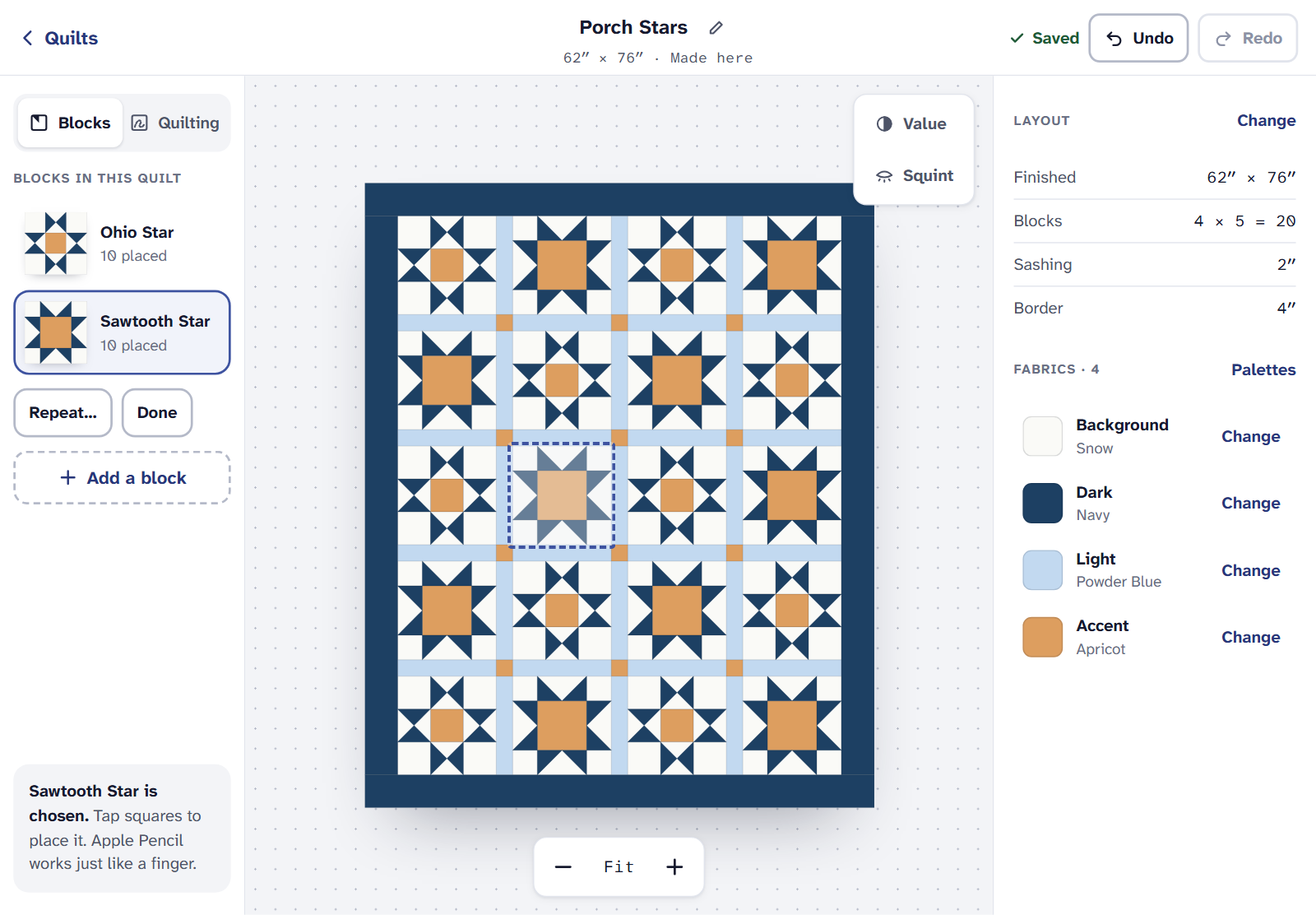
Held sideways: the tray on the left, the quilt’s facts on the right. Tap a square to place the block there. Drag across several squares to place it in each: that’s one Undo.
To stop placing, tap the chosen block again.
Tap a placed block for its menu: turn, flip, replace, or make the square plain.
Pinch to zoom. Move the quilt with two fingers. Tap the zoom level to fit the whole quilt again.
Hovering with Apple Pencil. On an iPad that senses Apple Pencil above the screen, holding the Pencil over a square shows a dashed outline where a tap would place the block.
Drawing with Apple Pencil
- In the block editor, Apple Pencil draws lines the same way a finger does. A point within a finger’s width snaps to the nearest one, and a magnifier shows where you are.
- Curves: draw a line, then drag its middle. Apple Pencil can also sketch the curve itself: lift, and it becomes the exact curve nearest your stroke.
- Quilting lines: draw with Apple Pencil. A finger moves and zooms the quilt, so it never draws by accident.
EQ files on an iPad
To open or import EQ8 and EQ7 files, choose Choose files… or Choose a folder… and pick them in the Files app. Your My EQ8 folder needs to be somewhere the iPad can reach, such as iCloud Drive or a USB stick. See Import your whole My EQ8 folder.
Printing from an iPad
Printing works on an iPad too: the PDF is made on the iPad, at true size. See Printing from an iPad or a phone.
If it doesn’t look right
- The page scrolls instead of placing. Place with one finger. Two fingers always move and zoom the quilt.
- A square won’t stop placing. Tap the chosen block again to put it down, or press Escape on a keyboard.
- Your code appears above the keyboard. Tap it to fill in the code when you sign in.
Checked against the app on
Questions
Short answers.
Something else? A real person replies.
hello@quarterinch.app
Is there a Quarter Inch app for iPad?
Quarter Inch runs in Safari on the iPad, with nothing to install. Go to app.quarterinch.app and sign in.
Does Quarter Inch work with Apple Pencil?
Yes. Apple Pencil works just like a finger for placing blocks, and it can sketch curves and quilting lines.
Can I open EQ8 files on an iPad?
Yes. Choose the files or the folder in the Files app. Quarter Inch reads them in the browser.
Will my quilts be on my computer too?
Yes. Everything is saved to your account, so it opens on any device you sign in on.