Using Quarter Inch · Color and fabrics
Check a quilt’s contrast: Value and Squint
Two switches over the quilt show it in grays or blurred, so you can see whether its lights and darks will make the pattern show.
The short answer
See a quilt in grays or blurred, so you can check its lights and darks before you buy fabric. Choose Value over the quilt for grays and Squint to blur it; fabrics that touch and look the same gray won’t show their edge. Neither switch changes the quilt.
Two switches sit over the quilt, top right, in the viewer and in the designer. Value shows the quilt in grays, so you see only how light or dark each fabric is. Squint blurs it, the way quilters squint at a design wall. Use either, or both together.
Neither changes the quilt. They change only how it looks on your screen, and you can keep working while they’re on.
Check a quilt’s contrast
Open the quilt.
Choose Value. The quilt turns gray. Look for fabrics that touch and come out the same gray: the edge between them won’t show in the finished quilt.
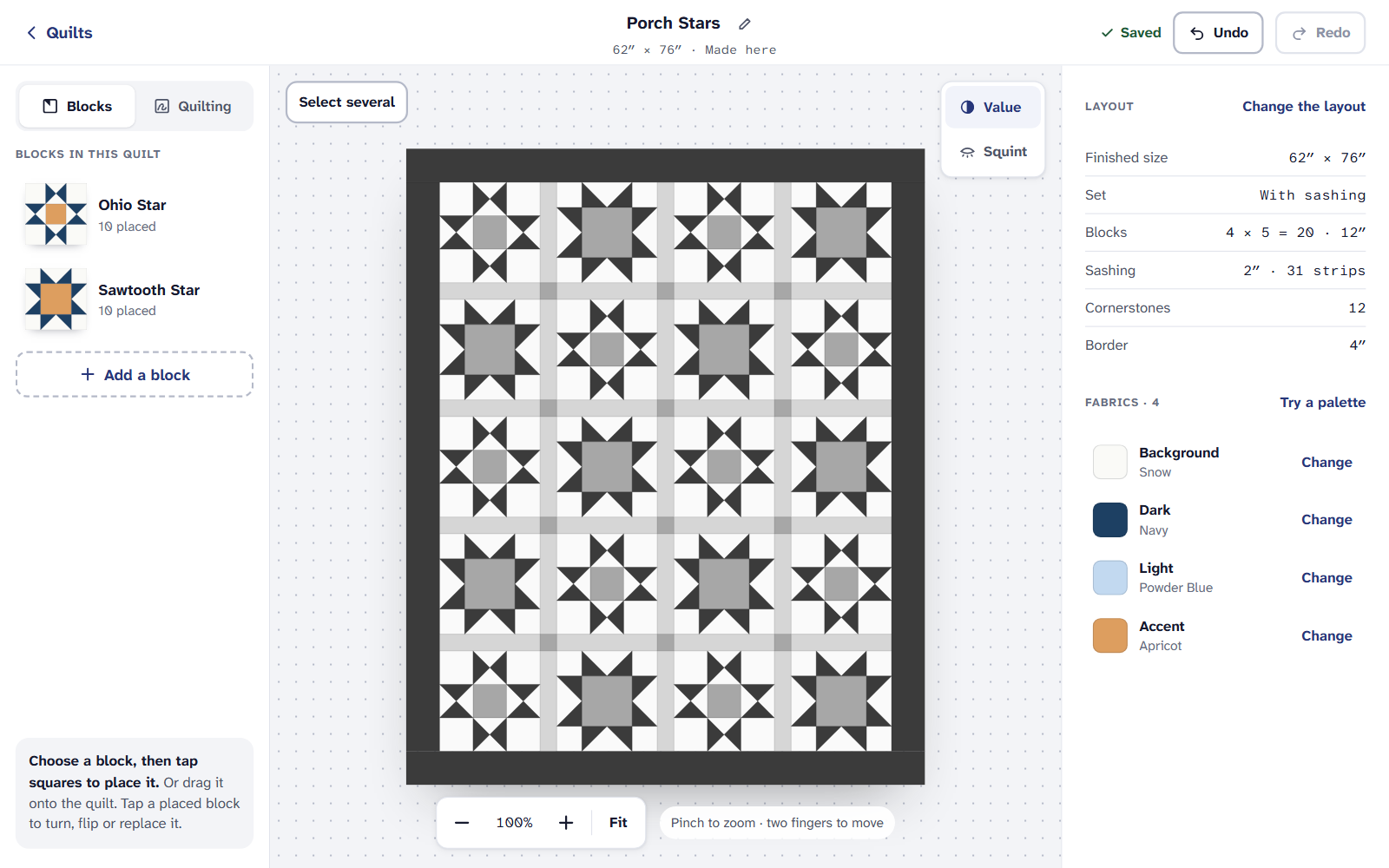
Value: the same quilt in grays. The star points stand out; two of the mediums blur together. Choose Squint as well, or on its own. What still stands out when it’s blurred is what people will see from across the room.
Fix a weak edge with Change beside one of the fabrics, or with Paint, while Value is still on. Then choose Value and Squint again to turn them off.
Way up and Quilting
The same box can hold two more choices, when the quilt has them:
- Way up appears when a fabric in the quilt has a right way up. It draws an arrow on each piece of that print, so you can see which ones will stand up and which will lie on their side.
- Under Quilting, choose Thread, Clear lines or Hidden for how quilting shows. Value and Squint change only the fabrics, so the quilting lines stay sharp.
On an iPad or a phone
If it doesn’t look right
- Two fabrics look the same in Value. That’s the check working: their colors differ, but their values don’t. Swap one for something lighter or darker.
- The whole quilt stays gray. Value is still on. Choose it again to turn it off.
- Real fabric looks different. Screens vary. Check real fabric in daylight, or with a black-and-white photo on your phone.
Checked against the app on
Questions
Short answers.
Something else? A real person replies.
hello@quarterinch.app
Does Value change my quilt?
No. It only shows the quilt in grays on your screen. Turn it off and the colors are back.
Can I keep designing with Value on?
Yes. Paint and change fabrics while the quilt is in grays, to fix contrast as you go.
Where is Squint on a phone?
In the designer’s ⋯ menu at the top: Squint: blur it.