Using Quarter Inch · Pattern designer
Export a quilt pattern PDF for sale
Export a published version as PDFs and cover pictures for your shop. Each file is checked before it’s saved, and carries your name, not ours.
The short answer
Get your pattern’s PDFs and shop cover pictures, each checked for matching page numbers, a true 1″ test square, every size’s numbers and no Quarter Inch name. In the pattern’s Versions tab, choose Export for sale beside the version on sale, tick the files you want, and choose Export.
Export a version for sale
Only a published version can be sold, so its numbers are the ones your buyers get, today and next year. If you haven’t published yet, see Testers, errata and versions.
Open the pattern and choose Versions. Beside the version on sale, choose Export for sale.
Under Version, choose which published version. The newest has “The numbers it was published with”; an older one is “An earlier version, exactly as published”. The draft can’t be chosen: publish it first, or make a tester copy instead.
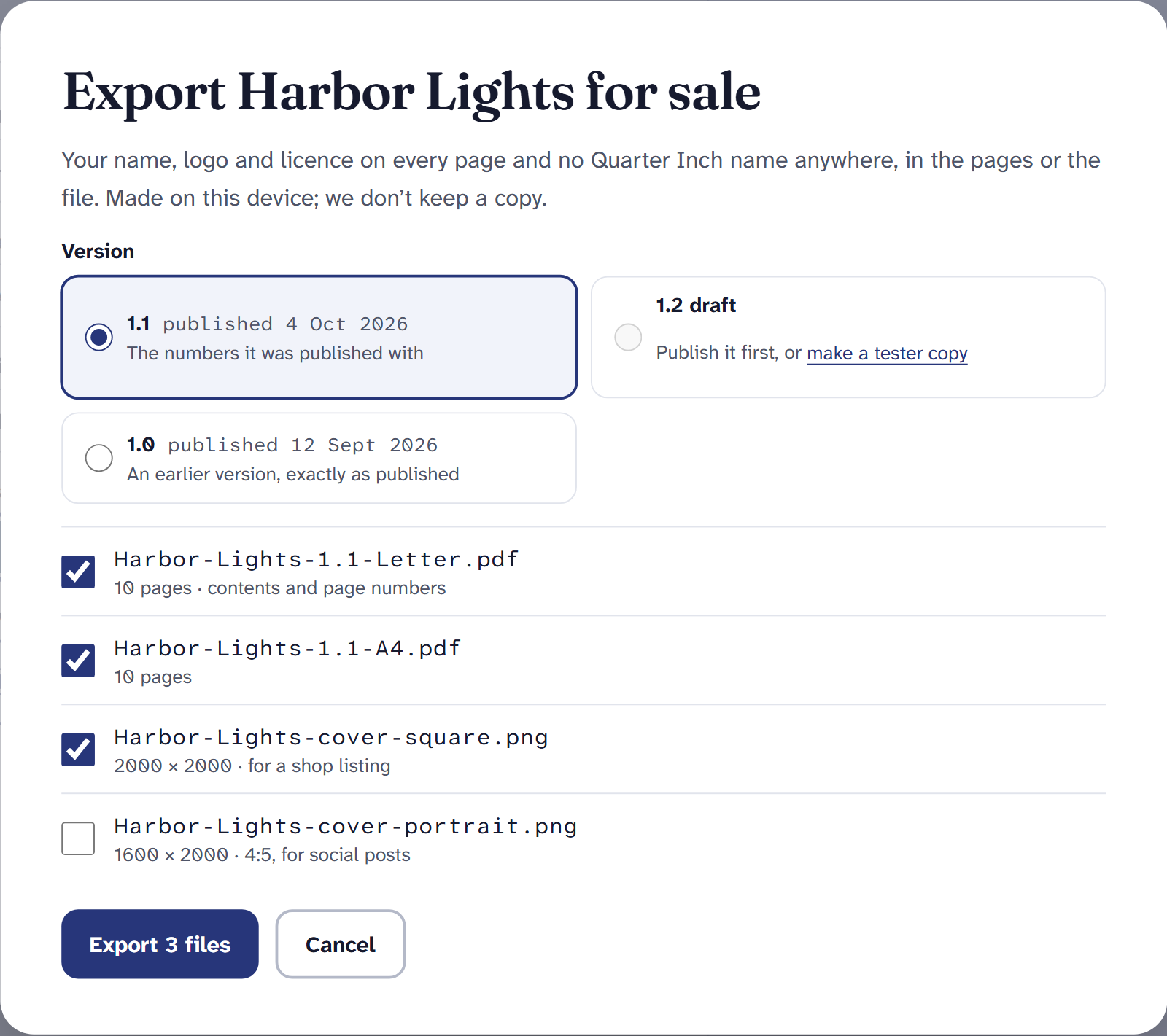
Export for sale. Every file is made on your device. Tick the files you want:
- a PDF for each paper size you chose in Pages and print, Letter and A4, each with its contents page and page numbers;
- a square cover picture for a shop listing (ticked at the start);
- a tall cover picture for social posts.
Choose Export with the number of files, such as Export 3 files. While Making the files… shows, keep the page open.
When they’re made, choose Download files. You’ll see the first page or picture of each, and what was checked.
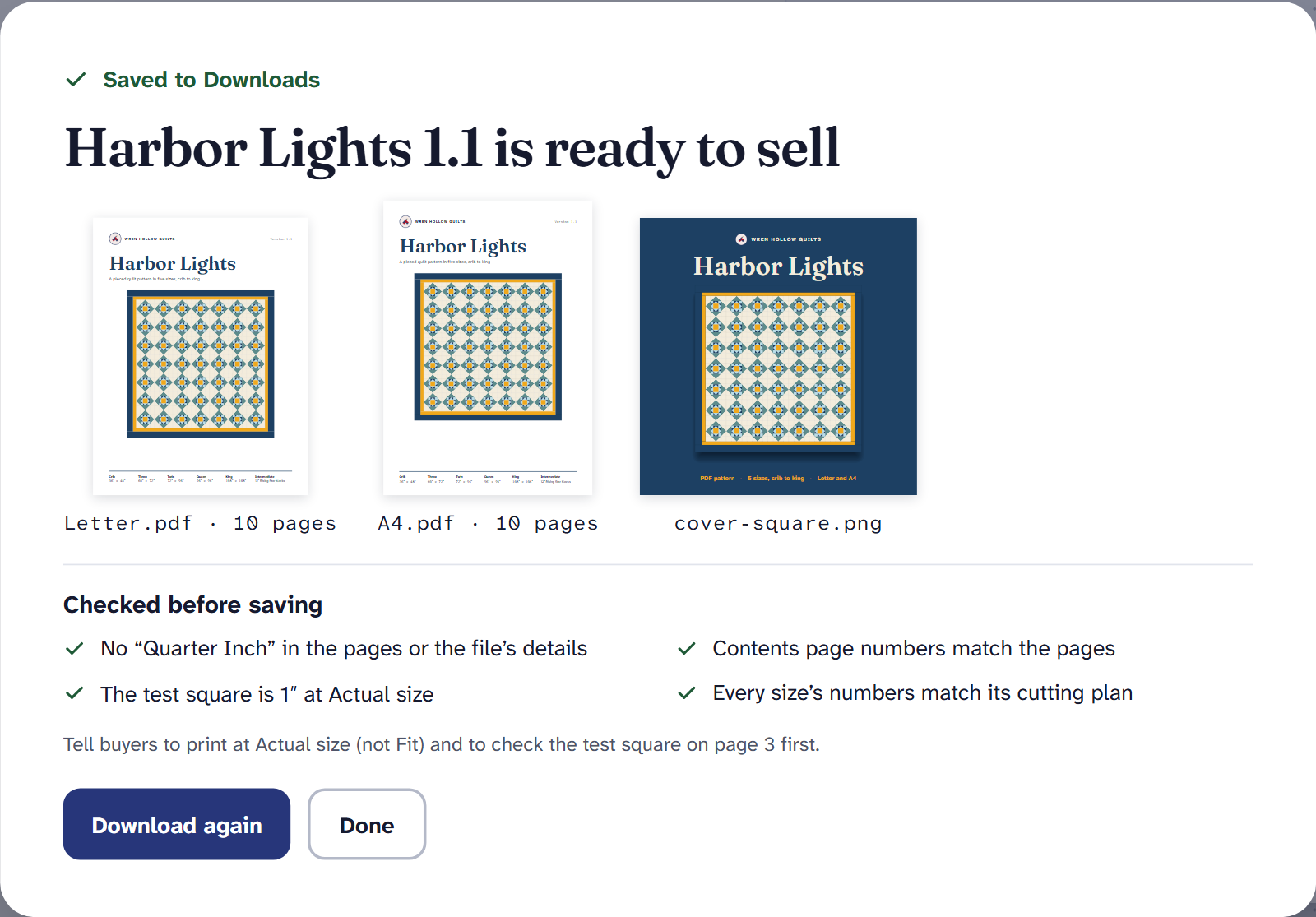
Ready to sell, with every check passed.
What’s checked before saving
Each export is checked before the files are saved, and the list says what passed:
- No “Quarter Inch” in the pages or the file’s details, unless you turned on Made with Quarter Inch; then the last page says so, once.
- Contents page numbers match the pages.
- The test square is 1″ at Actual size.
- Every size’s numbers match its cutting plan.
If something didn’t pass, the heading says how many things to check, and lists them. The files are still made, so you can look before you decide.
Selling it
Sell the files wherever you already sell: your own website, a marketplace, a wholesale catalog. Quarter Inch has no store, takes no fee on your sales and never sends files to buyers. The files are yours once they’re made, whatever happens to your plan.
Your name, not ours. Your studio name, logo and license are on every page, and the PDF’s details name you as its author. Change them in Your designer details on Account and settings.
Exporting for sale and tester copies are part of Quilter. If Quilter ends, Export for sale waits for Quilter again; you can still open your patterns and print them for yourself, and files you already exported are yours.
If it doesn’t look right
- There’s no Export for sale. Nothing is published yet. Publish the draft in Versions first.
- “Sharing was cancelled.” The files are ready; choose Save or share files again.
- A check says a part’s steps aren’t worked out. Write them in Your words, publish a new version, and export that.
More on selling patterns made here: Quarter Inch for pattern designers.
Checked against the app on
Questions
Short answers.
Something else? A real person replies.
hello@quarterinch.app
Can I sell patterns I make in Quarter Inch?
Yes. Export a published version and sell the files wherever you already sell. There’s no store and no fee on your sales.
Does the PDF say Quarter Inch anywhere?
No, unless you turn on Made with Quarter Inch. Every export is checked for our name in the pages and in the file’s details.
Can I export a draft to sell?
No. Only a published version can be exported for sale, so buyers get numbers that never change. For testers, make a tester copy of the draft.
What files do I get?
A PDF for each paper size, Letter and A4, with contents and page numbers, plus a square cover picture for a shop and a tall one for social posts.