Using Quarter Inch · Account and your files
Delete your account
You can delete your account and everything in it yourself. We wait 30 days before anything goes, and offer you an export first.
The short answer
You can delete your account yourself, and we wait 30 days first in case you change your mind. Open Account and settings and choose Delete my account; to stop it, sign in and choose Keep my account. After that, your quilts and account are gone for good.
Delete your account
Open Account and settings. At the foot of the page, beside “Leaving?”, choose Delete my account.
The box, Delete your account?, says exactly what goes: your quilts, our copies of your original files, and your account. The EQ files on your own computer aren’t touched.
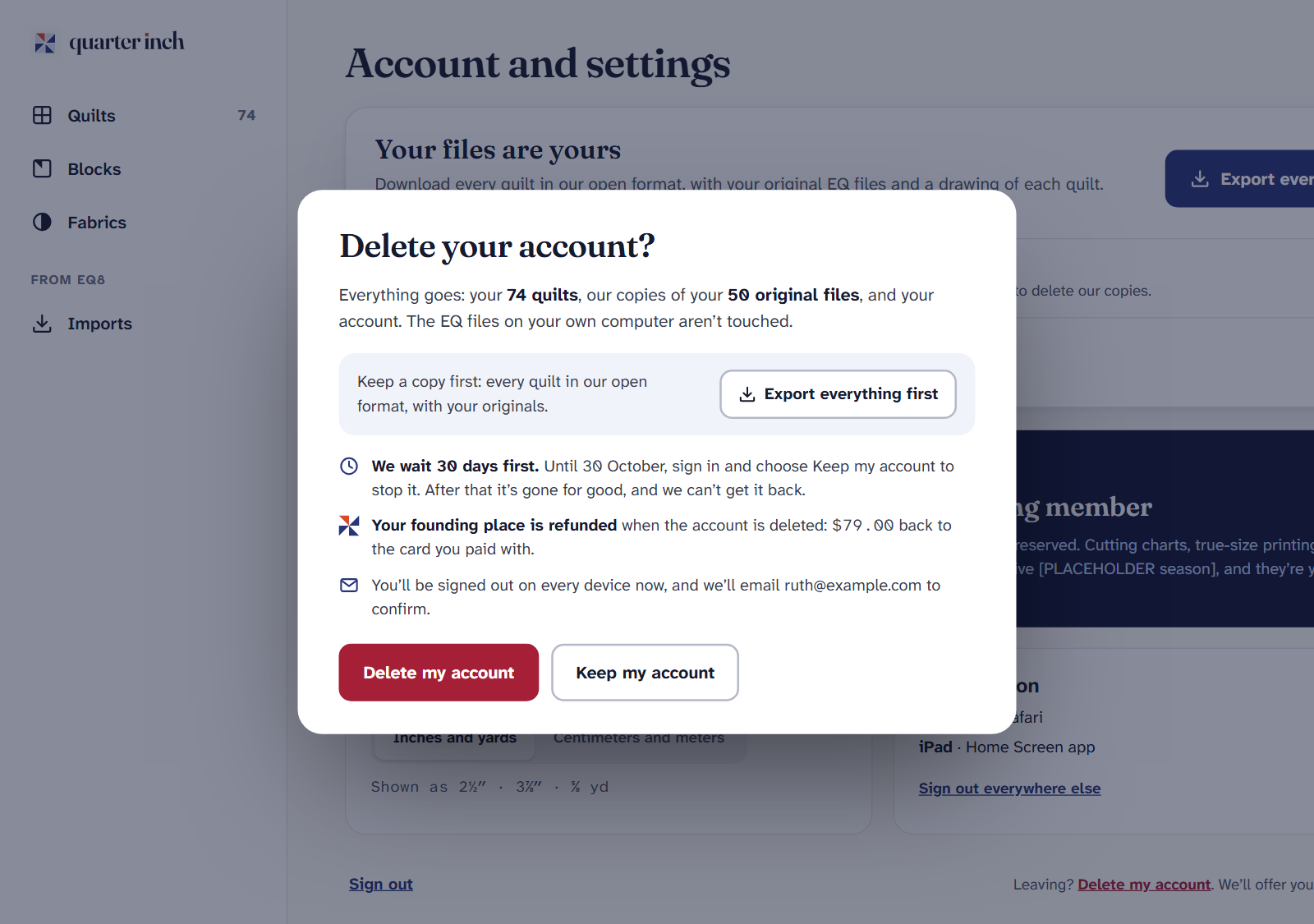
Want a copy first? Choose Export everything first: every quilt in our open format, with your originals.
Choose Delete my account. You’re signed out on every device, and we email you to confirm. If you pay for Quilter, it’s canceled now too.
We wait 30 days first
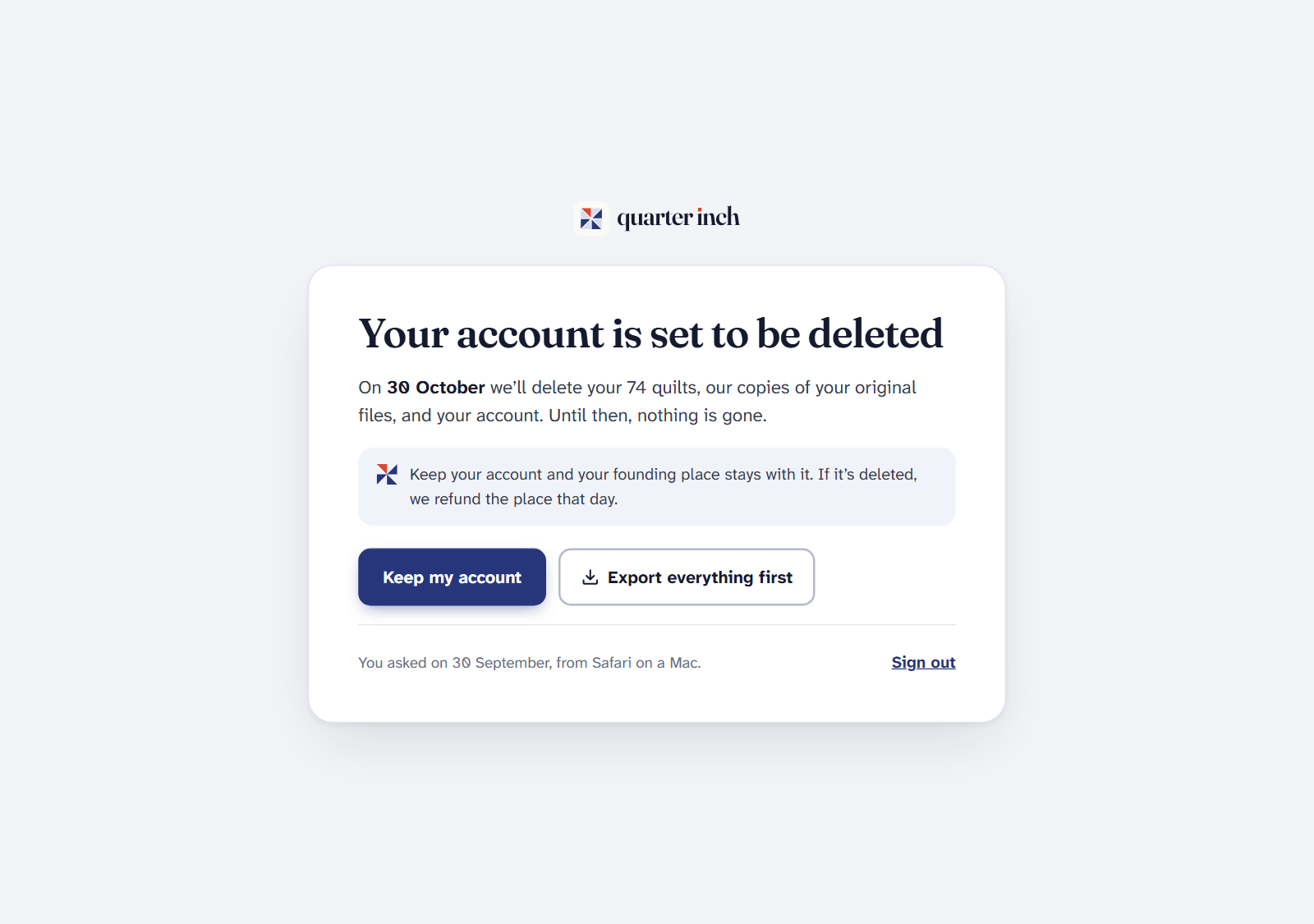
Nothing is deleted straight away. For 30 days your account waits, and you can change your mind. On the day, everything goes for good, and we can’t get it back.
- To stop it, sign in during the 30 days. The only page you’ll see says when your account will be deleted. Choose Keep my account, and nothing is deleted.
- To get your quilts first, sign in and choose Export everything first on that same page. We email you when it’s ready.
If you pay for Quilter
Asking to delete cancels Quilter straight away, the same way Cancel Quilter does: it won’t renew, and nothing more is charged, so there’s no renewal while your account waits. You don’t need to cancel it first. If you asked within 30 days of your first payment, that payment is refunded on the day the account is deleted.
Keeping your account after all? Keep my account doesn’t restart Quilter: it stays canceled, and ends at the end of the month or year you’ve paid for. To carry on, choose Keep Quilter under Your plan on the account page before then. See Plans, billing, receipts and canceling.
What’s left afterwards
Nothing that names you. Your quilts, files, pictures, exports, settings and sign-ins are deleted. Records of payments are kept for the accounts, with your name and email removed.
If it doesn’t look right
- You only want to remove some quilts. Delete them from your library instead. They wait in Recently deleted for 30 days.
- You’ve been signed out everywhere. That’s expected after asking. Sign in again to keep your account or export it.
- No confirmation email. Check your spam folder. The deletion still stands; sign in to see its date.
Checked against the app on
Questions
Short answers.
Something else? A real person replies.
hello@quarterinch.app
How do I delete my Quarter Inch account?
Open Account and settings and choose Delete my account, then Delete my account again in the box.
Can I change my mind?
Yes, for 30 days. Sign in and choose Keep my account. Nothing is deleted.
Does deleting my account delete my EQ files?
Not the ones on your computer. We delete our copies of your original files with your account.
Is Quilter canceled when I delete my account?
Yes, as soon as you ask, so it doesn’t renew during the 30 days. If you keep your account, choose Keep Quilter on the account page to carry on.