Using Quarter Inch · Account and your files
Download all your quilts: Export everything and .qi
Your quilts are yours. Export everything downloads every quilt in an open format, with your original EQ files, any time and on any plan.
The short answer
Download every quilt you have in one zip, any time, free on every plan. Open Account and settings, choose Export everything, then Download when it’s ready. The zip holds each quilt as a .qi file (open JSON), your original EQ files and a drawing of each quilt.
Export every quilt
Open Account and settings. At the top, under Your files are yours, choose Export everything.
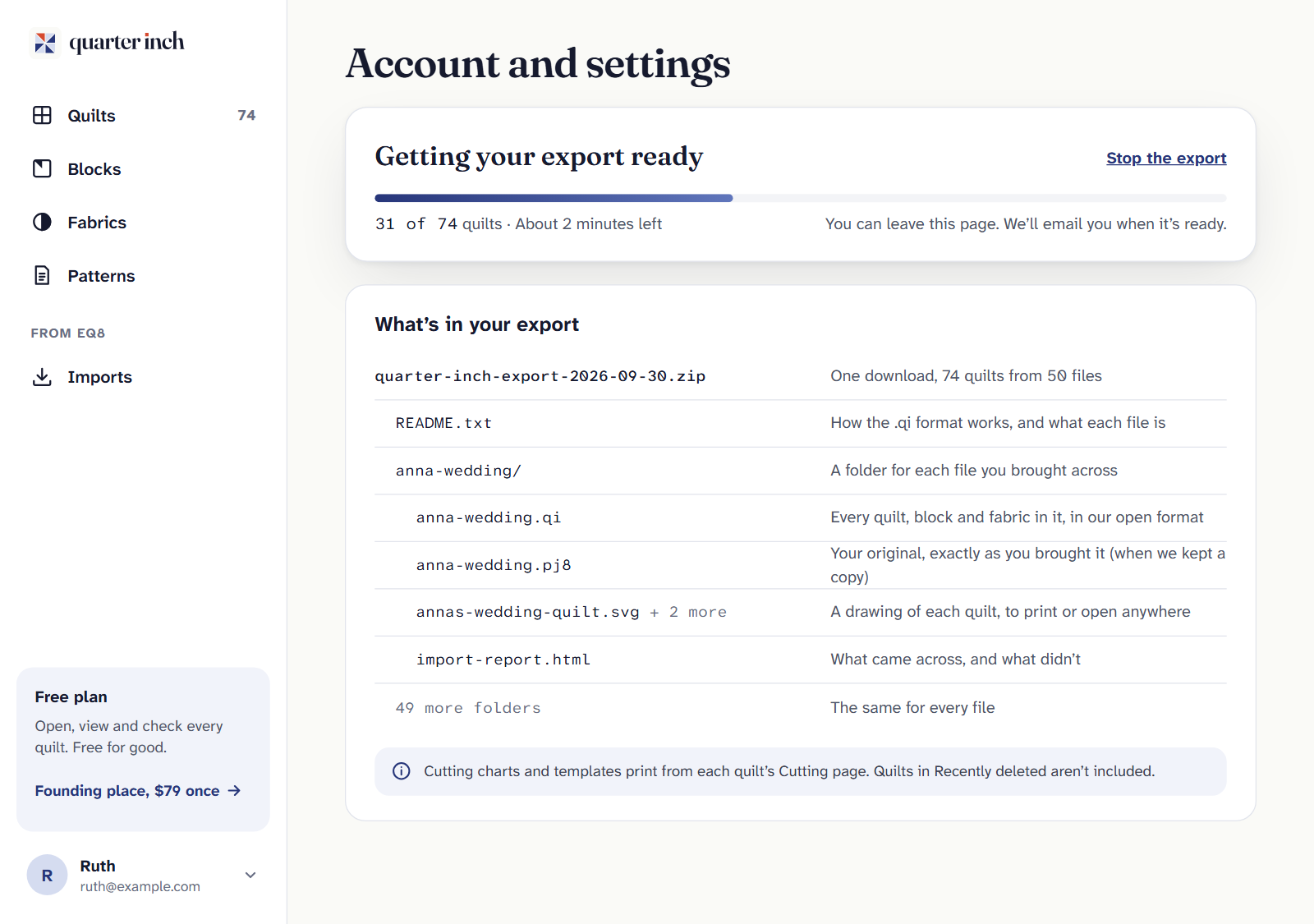
Getting your export ready shows how many quilts are done and about how long is left. What’s in your export lists what you’ll get. You can leave the page: we email you when it’s ready.
When Your export is ready, choose Download. It’s one zip file.
The download works for 7 days. You can make a new export any time, on any plan. Changed your mind while it’s being made? Choose Stop the export.
Export just one quilt
In your library, open a quilt’s ⋯ menu and choose Export this quilt. You get that quilt as a .qi file, its drawing, and its original EQ file if it came from one.
What’s in the zip
| File | What it is |
|---|---|
| README.txt | What each file is, and how the .qi format works. |
| A folder for each file or quilt | Named after the EQ file you brought across, or after a quilt made here. |
| …/name.qi | Every quilt, block and fabric in it, in our open format. |
| …/name.pj8 or .pj7 | Your original EQ file, exactly as you brought it, when we kept a copy. It opens in EQ8 (or EQ7). |
| …/quilt-name.svg | A drawing of each quilt, to print or open in any web browser. |
| …/quilt-name.pdf | With Quilter: each quilt’s cutting PDF, at true size. |
| …/import-report.html | For an EQ file, what came across and what didn’t. |
Quilts in Recently deleted aren’t included. Put them back first if you want them.
The .qi format
A .qi file is one quilt model written as plain JSON text, so any program that reads JSON can read it, now and in years to come. You don’t need Quarter Inch to open it. Lengths are whole eighths of an inch (8 is 1 inch), and colors are written as #RRGGBB. The README in every export explains each part, for anyone who wants to write a program to read them.
Keep your EQ originals. A .qi file names pictures, such as EQ’s swatches and photos, rather than holding them. Keep your original EQ files for those.
If it doesn’t look right
- “Your export didn’t finish.” Something went wrong on our side. Your quilts are safe. Choose Try again, and if it happens twice, write to hello@quarterinch.app.
- The download link has stopped working. It lasts 7 days. Choose Export everything again for a new one.
- No original EQ files in the zip. Keep a copy of my original files was off, so we didn’t keep them. Your own copies are on your computer.
Checked against the app on
Questions
Short answers.
Something else? A real person replies.
hello@quarterinch.app
Is exporting free?
Yes. Export everything works any time, on any plan, whether or not you’ve ever paid.
What is a .qi file?
One quilt model as plain JSON text: its quilts, blocks and fabrics. Any program that reads JSON can open it; you don’t need Quarter Inch.
How long does the download last?
7 days. You can make a new export any time.
Are deleted quilts exported?
No. Quilts in Recently deleted aren’t included. Put them back first.