Using Quarter Inch · Account and your files
Find receipts, change your card or cancel Quilter
Everything about paying for Quilter is on your account page: your bills and receipts, your card, canceling, and refunds.
The short answer
Everything about paying for Quilter is in Account and settings, where Billing lists every bill with its receipt. To stop, choose Cancel Quilter…: you keep it to the end of the period you’ve paid for. Your first payment can be refunded for 30 days.
See your plan, bills and receipts
Open the account button at the foot of the sidebar and choose Account and settings.
Your plan shows Quilter, its price, and when it renews. Choose Billing and receipts.
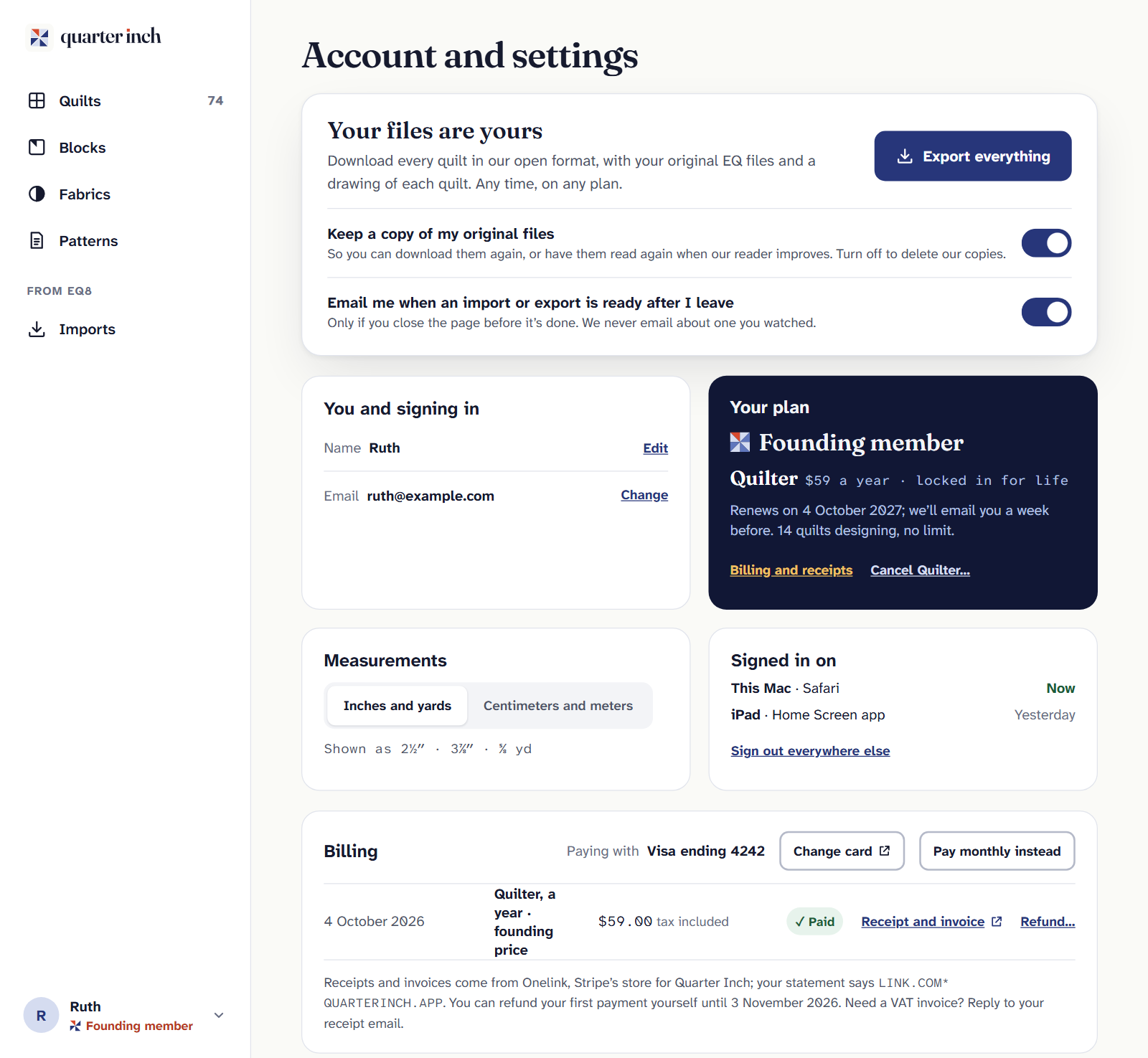
Under Billing, each bill is listed with its date, amount and whether it’s paid. Choose Receipt and invoice beside one to open it.
- Receipts come from Onelink, Stripe’s store for Quarter Inch. Your card statement says LINK.COM* QUARTERINCH.APP.
- Need a VAT invoice? Reply to your receipt email.
- Prices are in your own currency, with tax included. Quilter is $9 a month or $89 a year.
Change your card, or how often you pay
- Change card opens Stripe’s secure page, then brings you back.
- Pay yearly instead or Pay monthly instead switches how often you’re billed.
Cancel Quilter
On the account page, choose Cancel Quilter… under Your plan.
The box says the date you keep Quilter until: the end of the month or year you’ve paid for. Nothing more will be charged. If you like, choose the main reason; it’s optional.
Choose Cancel Quilter. Changed your mind? Choose Keep Quilter, now or any time before the date.
After the date, cutting charts and printing close, and quilts beyond your 3 newest become read-only until you’re back. Nothing is deleted, and export always works. See Free and Quilter.
A founding price ends with your plan. If you pay a founding member price and cancel, coming back later is at the price of the day.
Deleting your account cancels Quilter for you, as soon as you ask, so you don’t need to cancel it first. See Delete your account.
Refund your first payment
Your first payment can be refunded from your account for 30 days. On the account page, choose Refund… beside it under Billing, or Refund instead in the Cancel box. Then choose the Refund button, which shows the amount.
- The money goes back to the card you paid with, usually within 5–10 business days.
- Quilter ends that day. Your quilts all stay, on the Free plan.
- After 30 days, canceling stops future charges instead.
If a payment fails
Your library shows a notice, and Quilter stays on for 14 days while we try again. Choose Update card on the notice and give a card that works. After 14 days without payment, Quilter ends, as if you’d canceled.
Whatever happens to a plan, every quilt stays: open, view and export them any time, on the Free plan.
If it doesn’t look right
- You paid, but this account says Free. You may have paid while signed in with another email. Choose Paid with another email? under Your plan. It opens an email to us.
- No Refund… button. It’s more than 30 days since your first payment, or it’s already refunded.
- No Billing section. You’re on the Free plan, so there’s nothing to bill.
Checked against the app on
Questions
Short answers.
Something else? A real person replies.
hello@quarterinch.app
How do I cancel Quilter?
On the account page, choose Cancel Quilter…, then Cancel Quilter. You keep it to the end of the month or year you’ve paid for.
Where are my receipts?
On the account page under Billing: choose Receipt and invoice beside each bill.
Can I get a refund?
Your first payment can be refunded from the account page for 30 days. Quilter ends that day.
What will my card statement say?
LINK.COM* QUARTERINCH.APP. Receipts come from Onelink, Stripe’s store for Quarter Inch.
What happens if my card is declined?
Quilter stays on for 14 days while we try again. Update your card in that time to keep it.