Using Quarter Inch · Cutting and printing
Cut fabric one cut at a time: the cutting table
The cutting table is the chart for the cutting mat: one fabric at a time, the next cut in big type, and one button to tick it off. The screen stays on while you cut.
The short answer
The cutting table shows one cut at a time in big type, for the cutting mat. On the quilt’s Cutting page, choose Cutting table (on a phone, Big type), cut what’s in the big box, then tap Tick it off. Undo stays until your next tick.
Cut one fabric at a time
On the quilt’s Cutting page, choose Cutting table, top right. It opens at the fabric with your next cut. From the chart’s Where you left off, Carry on at the cutting table does the same.
The cut to make now is in the big box, in big type: for Porch Stars it starts with Background, “Cut 2 strips 7¼″ × WOF”. Cut it, then tap Tick it off.
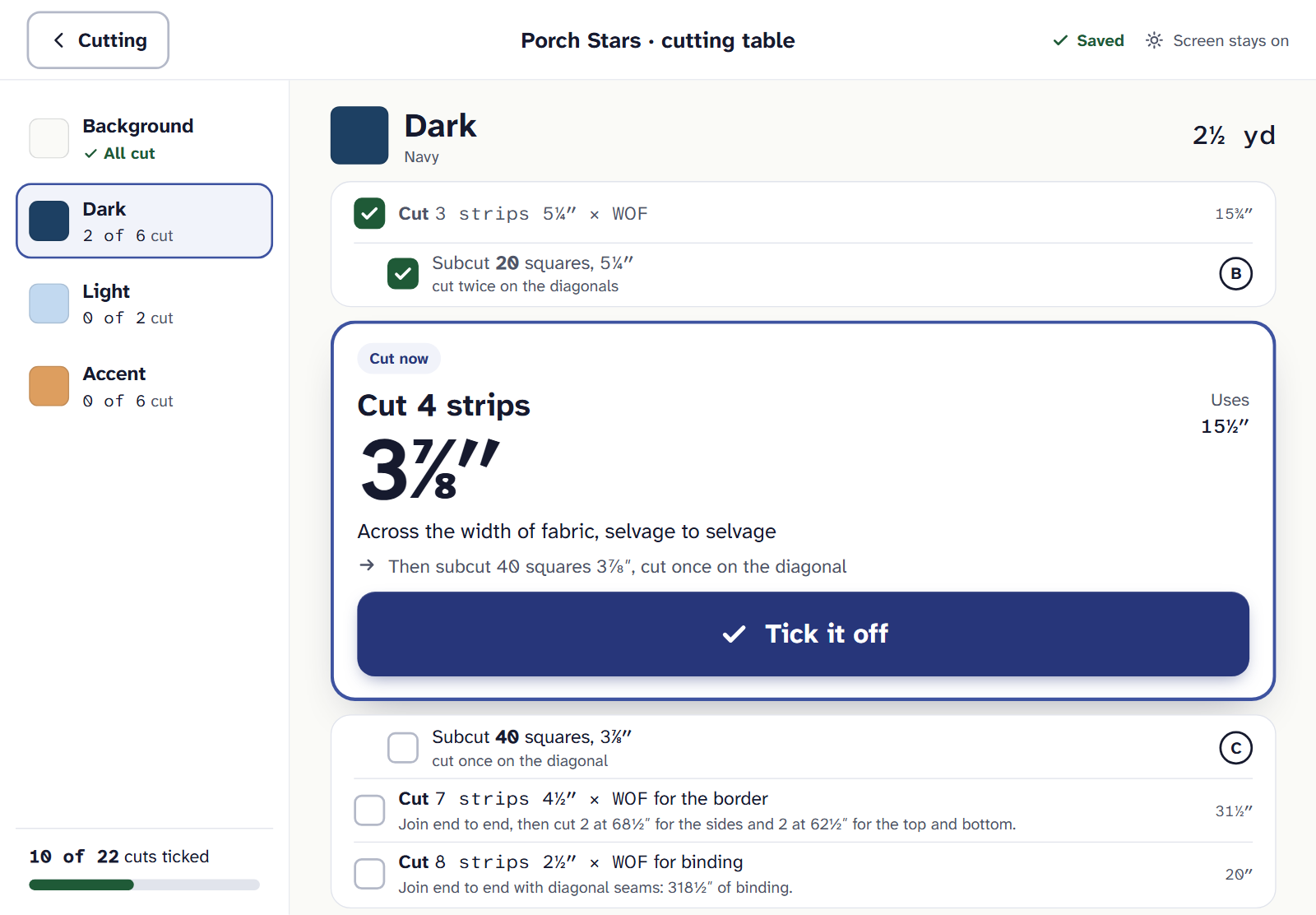
On an iPad at the cutting mat. Done cuts fold away above; later ones wait below. Tapped by mistake? Undo stays until your next tick, and any ticked cut unticks with a tap.
When a fabric says All cut, move to the next with the arrows or the fabrics’ list. Your ticks are saved with the quilt, on every device, and the cutting chart shows them too.
While the cutting table is open, Quarter Inch asks the device to keep its screen on. Screen stays on means it is. Screen may dim means the browser won’t: tap the screen to wake it, and your place is kept.
No internet at the mat
Keep cutting. Ticks wait on the device, and the table says how many aren’t saved yet. They’re saved when the connection comes back.
It comes with the cutting chart. Quilter is $9 a month or $89 a year.
If it doesn’t look right
- A cut says it changed. The quilt changed after you ticked it. The note says what to do, like cutting one more strip.
- Ticks from your other device aren’t there. They arrive within moments while the page is open, and at once when you come back to it.
- You’d rather see every cut. The cutting chart has them all, with the same ticks.
Checked against the app on
Questions
Short answers.
Something else? A real person replies.
hello@quarterinch.app
Will my iPad’s screen go dark while I cut?
Quarter Inch asks it to stay on while the cutting table is open, and says Screen stays on when it does.
Do ticks on the cutting table show on the chart?
Yes. They’re the same ticks, saved with the quilt and shown on every device.
What if I tick the wrong cut?
Tap Undo, which stays until your next tick, or tap the ticked cut to untick it.