Using Quarter Inch · Bringing quilts from EQ
If an EQ file won’t open
Most EQ files open first time. When one doesn’t, Quarter Inch says why and what to do. Here is every reason, in the app’s own words.
The short answer
When an EQ file won’t open, Quarter Inch says why and what to do; first check it ends in .pj8 or .pj7. A project over 25 MB or from an older EQ shows Not yet: choose Have us move it. A damaged one shows Couldn’t read: try another copy, or Send it to us.
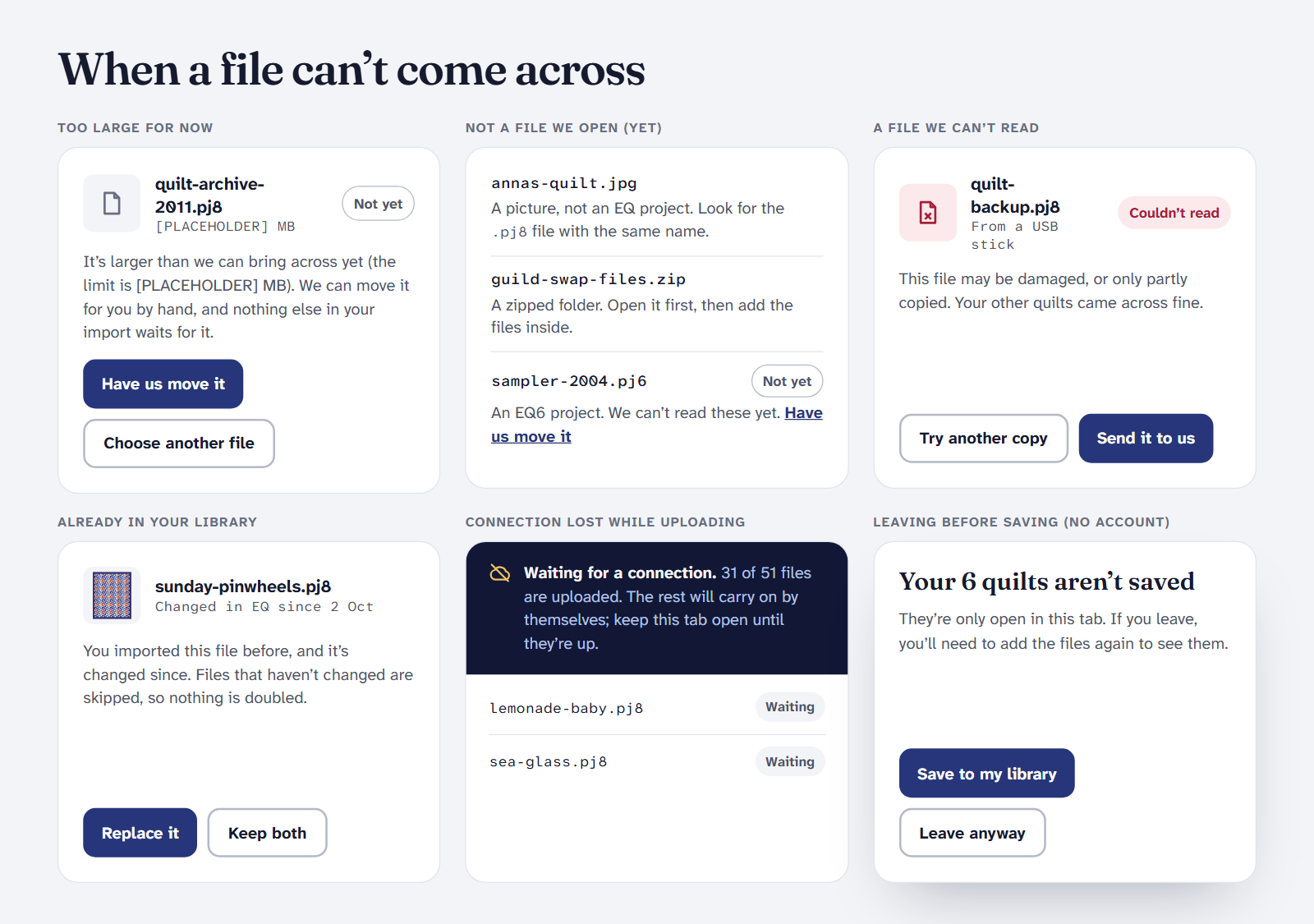
When a file can’t come across, Quarter Inch says why, file by file, and what to do next. After an import, these files are listed under “files need you”. The rest of your import carries on without them.
What it says, and what to do
| It says | What it means | What to do |
|---|---|---|
| Not an EQ project | It isn’t a .pj8 or .pj7 file. EQ’s pictures, PDFs and its own libraries sit beside your projects. | Look for the file ending in .pj8 or .pj7 with the same name. |
| A zipped folder | The projects are inside a .zip. | Open the zip first, then add the files inside. |
| This file is empty | It may not have finished copying. | Copy it again from where it came from, then try again. |
| Not yet: an older EQ project | A project from an older EQ, such as EQ6. We can’t read these yet. | Choose Have us move it. |
| Not yet: too large for now | The project is over the 25 MB limit. | Choose Have us move it: we move it for you by hand. Or Choose another file. |
| Couldn’t read | The file may be damaged, or only partly copied. | Choose Try another copy, from a backup or the original computer. Or choose Send it to us and we’ll look. |
| Changed in EQ since… | You imported this file before, and it’s changed since. | Choose Replace it or Keep both. |
Have us move it
Have us move it and Send it to us open an email to hello@quarterinch.app. Attach the file, and a person moves it across by hand and checks it. When you keep copies of your original files, a file that couldn’t be read is kept for 30 days so we can look at it, then deleted.
It opened, but doesn’t look right
- A quilt says Not yet. The file opened, but we can’t draw that quilt yet. It’s kept safe in your original, and you can switch to EQ’s picture when EQ saved one. When our reader learns it, the quilt shows Update ready.
- A part says Redraw. It’s drawn, but not quite as EQ has it. See Reading the Import report.
Your file is never changed. Whatever happens, Quarter Inch only reads your EQ files. The one on your computer stays exactly as it was.
Still stuck?
- You can’t find the file. See Where are my EQ8 files?
- Upload stopped. If your connection dropped, the import waits and carries on by itself when you’re back online.
- Anything else. Write to hello@quarterinch.app. A person reads every email.
Checked against the app on
Questions
Short answers.
Something else? A real person replies.
hello@quarterinch.app
Why won’t my .pj8 file open?
It may be damaged or only partly copied, over the 25 MB limit, or not the project itself (a picture or PDF beside it). Quarter Inch says which.
Can Quarter Inch open EQ6 or older files?
Not yet. Choose Have us move it and we’ll move it for you by hand.
What is the file size limit?
25 MB for each project. We can move a larger file for you by hand.
Will a failed import change my EQ file?
No. Quarter Inch only reads your files and never changes them.