Using Quarter Inch · Quilting
Add quilting stencils and import a DXF or QLI file
Fit a cable or wreath to a border, change the stencils an EQ quilt came with, or lay a longarm DXF file edge to edge.
The short answer
Fit a quilting stencil to a border or block, or lay a longarm design edge to edge. In Quilting, choose an area, then Stencil… and a stencil: it’s fitted to the space. For a longarm design, choose The whole quilt, Longarm file… and add a DXF or QLI file.
A stencil is a quilting motif you mark and stitch: a cable along a border, a wreath in a block. Quarter Inch has three kinds:
- Our own stencils: cable, wreath, orange peel, Baptist fan, clamshell and loops, drawn to fit the space you choose.
- EQ’s stencils: the ones placed on a quilt in EQ8 or EQ7, drawn where EQ put them, under EQ’s own names and sizes.
- Longarm files: DXF and QLI design files from longarm software, laid edge to edge.
Add a stencil
In the designer, choose Quilting. Under What tapping quilts, choose an area, such as The border, and tap the quilt.
Under Design, choose Stencil…, then a stencil under Stencils.
In a border or sashing, the stencil is fitted to it: repeats along each side and a motif in each corner. Change its Width if you like.
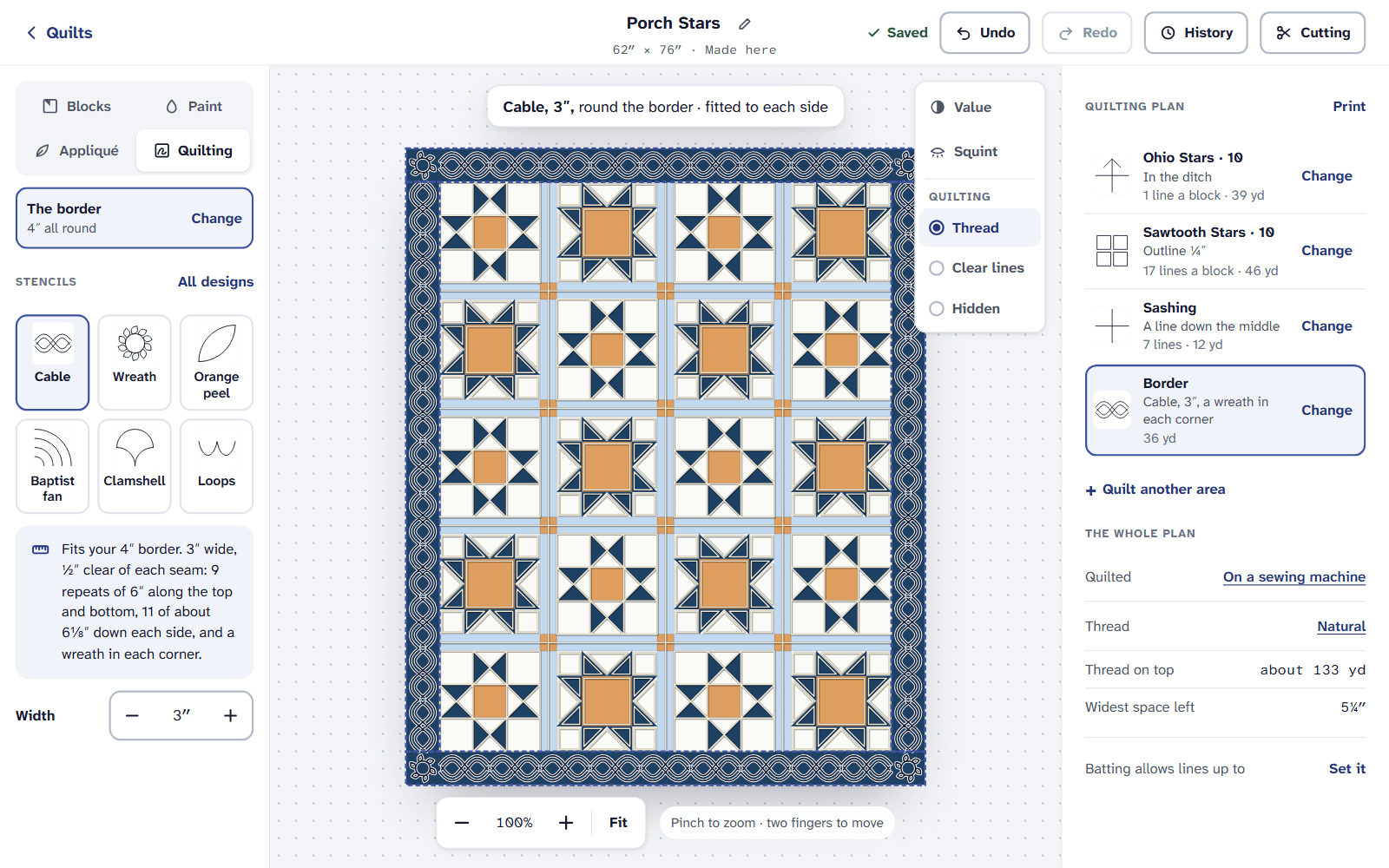
A cable fitted to the border, with its width beside it.
EQ’s stencils
Open a quilt from EQ8 or EQ7, and its stencils are drawn where EQ placed them, in the viewer and in the designer. To change them, choose Change this quilt first, then Quilting.
Tap a stencil on the quilt to choose it.
Choose Just this one, or all of them at once (it says how many, like “All 97 of them”).
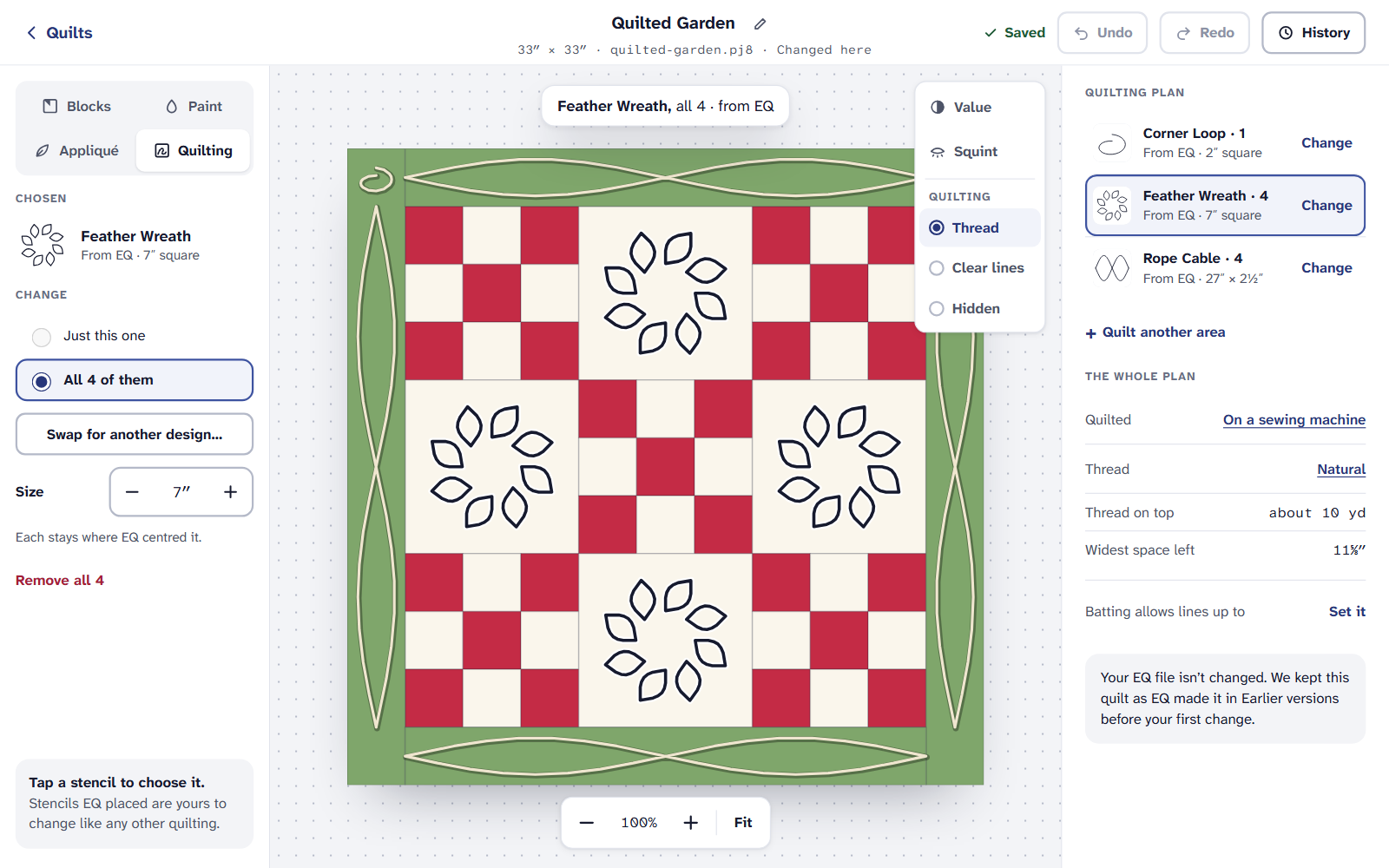
An EQ quilt’s stencils, chosen all at once. Choose Swap for another design…, change their Size, or remove them. Each stays where EQ centered it.
Your EQ file isn’t changed. The quilt as EQ made it is kept in Earlier versions before your first change.
Import a longarm file
In Quilting, choose The whole quilt, then Longarm file… under All-over designs.
Under Longarm designs, choose Choose files… and pick one or more DXF or QLI files from your longarm software.
Each file says ✓ Read, Not yet or Couldn’t read, with why. A file that’s read joins the stencils, to lay edge to edge.
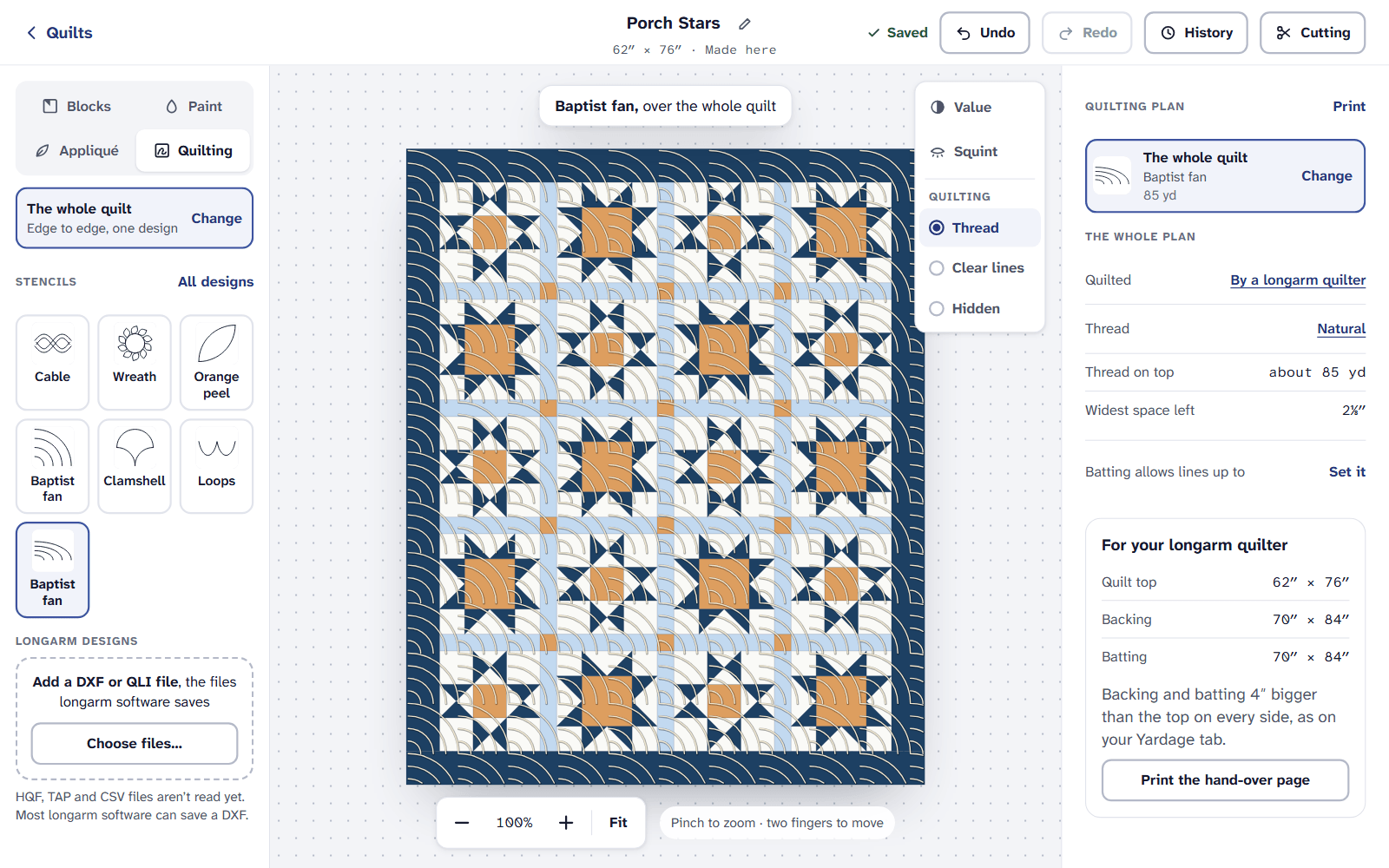
A DXF laid edge to edge, and each file’s result.
HQF, TAP and CSV files aren’t read yet. Most longarm software can save a DXF.
On an iPad or a phone
Our stencils, EQ’s and longarm files are on the Free plan. Printing stencils at true size needs Quilter.
If it doesn’t look right
- A longarm file says Not yet. That kind of file can’t be read yet. Save the design as a DXF in your longarm software and add that.
- A file says Couldn’t read. It may be damaged or not a design file. The reason is beside it.
- An EQ quilt shows no stencils. Choose Thread or Clear lines under Quilting over the quilt; Hidden hides them.
To print stencils at true size, see Print for your longarm quilter. For how each design is used, see Quilting designs for beginners.
Checked against the app on
Questions
Short answers.
Something else? A real person replies.
hello@quarterinch.app
Do my EQ8 stencils come across?
Yes. They’re drawn where EQ placed them, under EQ’s names and sizes, and you can swap, resize or remove them.
Which longarm files can I import?
DXF and QLI files. HQF, TAP and CSV files aren’t read yet; most longarm software can save a DXF.
Does changing EQ’s stencils change my EQ file?
No. Your file isn’t changed, and the quilt as EQ made it is kept in Earlier versions.