Using Quarter Inch · Pattern designer
Send a pattern to testers and publish errata
Testers get a named copy of the draft. Each version you publish is fixed, so sold copies always match, and when the quilt changes the errata is drafted for you.
The short answer
Give testers a named copy, publish versions that never change, and get errata drafted for you. In the pattern’s Versions tab, Make a tester copy makes a PDF with the tester’s name on every page, and Publish fixes a version for sale. Change the quilt later and the next version’s What changed note is drafted from the numbers.
How versions work
A pattern you’re working on is a draft, such as 1.0 draft. When you publish it, that version is fixed: its numbers, pages and words never change again, whatever happens to the quilt later, so the copies you’ve sold always match. Your next changes go into a new draft, 1.1.
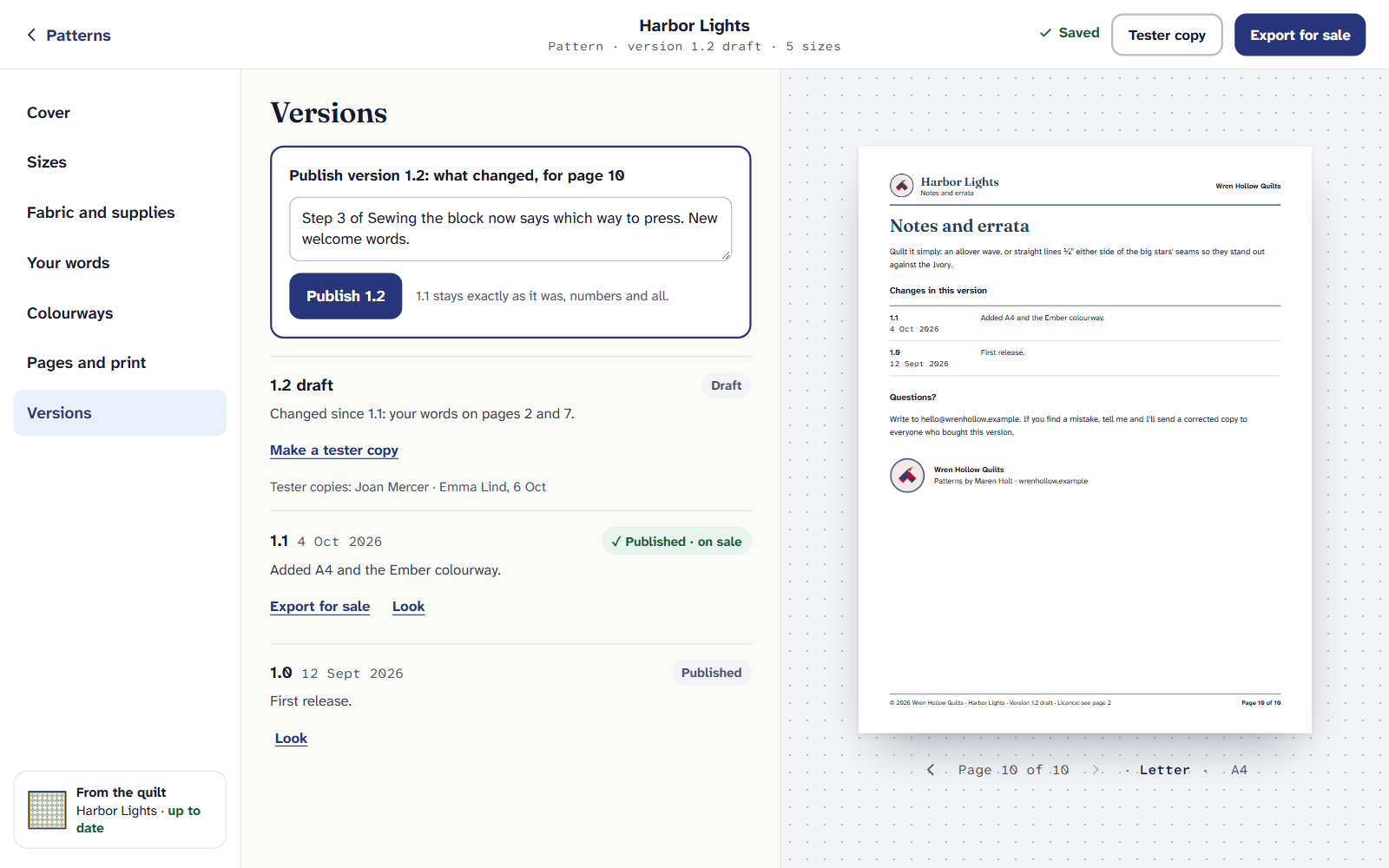
Publish a version
Open the pattern and choose Versions.
For the first version, Ready to publish 1.0? lists every check on every page: words still to write, drafts you haven’t read, each paper’s page count, the license. Choose any line to go to it.
For a later version, say what changed under What changed. It goes on the notes page, for your buyers. You can’t publish without it once a version is on sale.
Choose Publish with the version’s number, such as Publish 1.1. The one before stays exactly as it was, numbers and all.
Send a tester copy
A tester copy is the draft as it is now, as a PDF with your tester’s name on every page and “not for sale, please don’t share” across it. You don’t need to publish first.
In Versions, beside the draft, choose Make a tester copy.
Type the Tester’s name and choose Make the tester copy. The dialog says whether it’s a Letter or an A4 PDF. It’s made on your device.
Send it to your tester yourself, by email or however you usually do. Quarter Inch doesn’t send it.
The draft lists who has a copy (Tester copies: and their names), so you know who to thank, and who to tell when something changes.
When the quilt changes: errata
A pattern follows its quilt. If you change the quilt after publishing (a tester found a border too narrow, say), the pattern’s draft follows and the version on sale doesn’t. A card says The draft follows the quilt. and lists each number that changed, before and after.
- Keep the change keeps it in the draft. Undo it in the quilt takes it back out of the quilt.
- In Versions, the note of what changed is drafted for you from the two versions’ numbers. It says where each part came from. Read it, change it to your own words, and publish.
- If a number you typed yourself in Your words is now wrong, the pattern finds it and offers Make it a live number, which follows the quilt from then on.
No AI in your errata. The errata draft and the out-of-date number check are worked out from the pattern’s own numbers, not by Help, so they work with Help on or off.
If our own cutting math improves, a card says so: your draft uses the new numbers, and the published version keeps the ones it was sold with. Choose Show every change to see them.
How it was made
If Help helped set up a version, the version keeps a record of what it suggested and whether you used it. It shows on the pattern only if you choose: the line on the last page is off unless you turn it on, and it never says “AI” or “Quarter Inch”.
Publishing, tester copies and exporting for sale are part of Quilter. If Quilter ends, your published versions stay, and you can open and print them for yourself.
If it doesn’t look right
- Publish says what changed is missing. Write a line for the notes page; buyers of the earlier version read it there.
- A part’s steps aren’t worked out. A few kinds of piecing have no sewing steps yet. Choose Write them in Your words; until then, Export for sale says they aren’t checked.
- You want to start again. Delete this pattern… is at the foot of Versions. Copies you’ve sold stay your buyers’.
Next: Export a pattern for sale. For the whole picture, see Quarter Inch for pattern designers.
Checked against the app on
Questions
Short answers.
Something else? A real person replies.
hello@quarterinch.app
Can I send a pattern to testers before publishing?
Yes. A tester copy is the draft as it is now, with the tester’s name on every page and marked not for sale.
If I fix a mistake, do my buyers’ copies change?
No. A published version never changes. Publish a new version with a note of what changed, and export it for your shop.
Who writes the errata?
You do, from a draft the pattern makes from the two versions’ numbers. It isn’t written by AI, so every number in it is right.