Using Quarter Inch · Bringing quilts from EQ
Change an EQ8 or EQ7 quilt: blocks, colors and size
A quilt you brought across from EQ can be changed like any quilt made here. Your EQ file is never touched, and the quilt as it came from EQ is kept.
The short answer
You can change a quilt from EQ like any quilt made here, and the quilt as it came from EQ is kept in Earlier versions. Open it and choose Change this quilt, then Start changing. A padlock marks what stays as EQ made it for now, with the reason.
Start changing a quilt from EQ
Open the quilt from your library.
Choose Change this quilt at the top.
The first time, a box lists what You can change in this quilt and what Stays as EQ made it, for now. Read it, then choose Start changing. It’s asked once for each quilt.
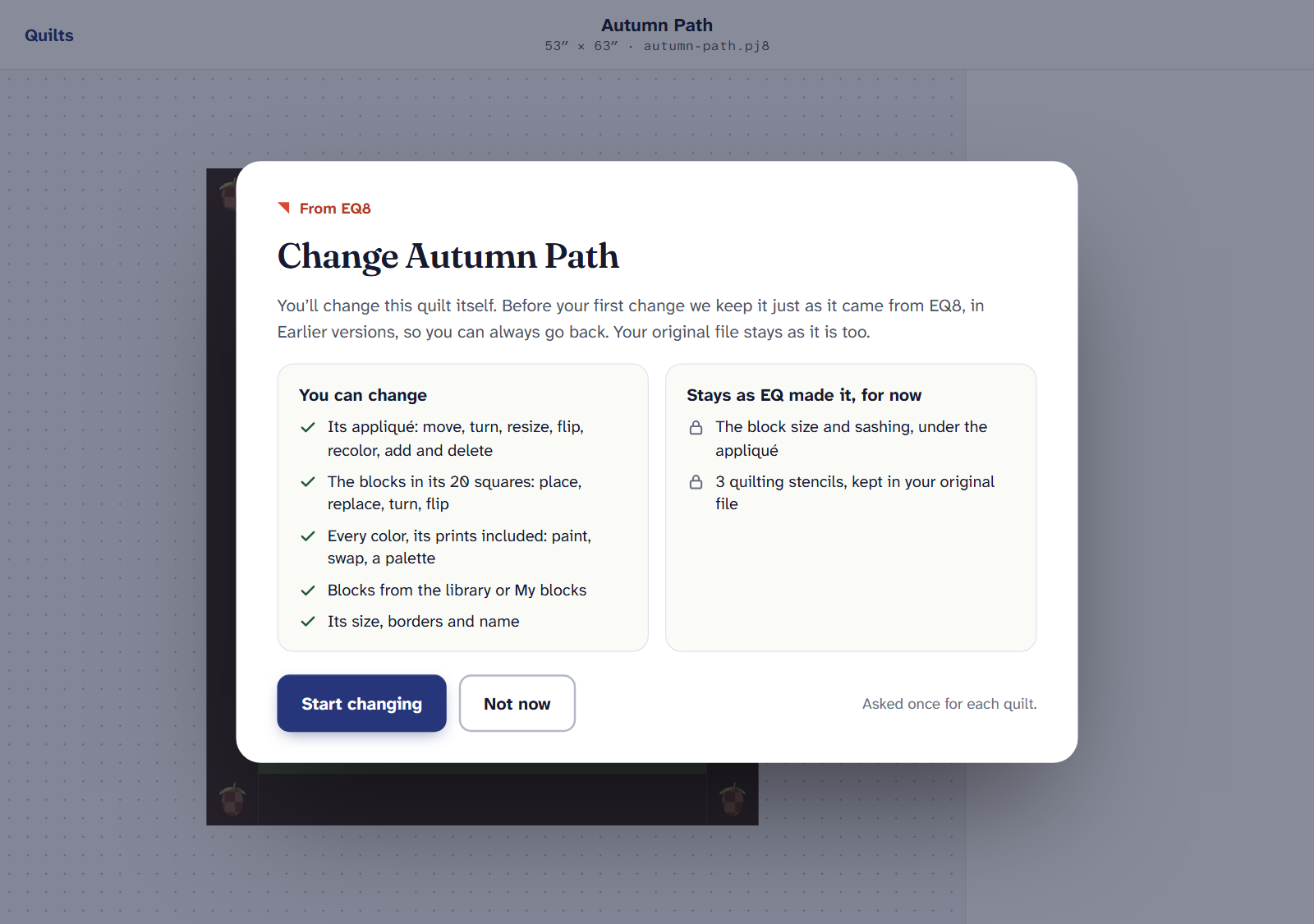
Asked once for each quilt, before its first change. The quilt opens in the designer. Place and replace blocks, paint, try a palette, rename it, and change its layout where it can be done exactly. Every change is saved as you go.
Your EQ file is safe
- You change the quilt itself, in Quarter Inch. Your EQ file on your computer is never changed.
- Before your first change, Quarter Inch keeps the quilt just as it came from EQ in Earlier versions, under History, named “As it came from EQ8” (or EQ7). You can always go back to it.
- Undo takes back each change, one at a time.
Why some parts have a padlock
A padlock marks what stays as EQ made it, with the reason beside it. These are the parts we can’t yet change exactly, so we leave them as EQ drew them rather than risk getting them wrong. For example:
- appliqué that sits where EQ put it, and the blocks under it keep their size;
- a pieced border, which is redrawn at new lengths only where its pieces fit whole;
- the curves of a curved block the block editor can’t draw yet;
- a layout whose borders don’t add up to its size, or a custom set.
A block from EQ has its own menu: Paint this block, and Edit a copy of its shape, which opens a copy in the block editor and leaves EQ’s block as it was. If the copy can’t be made, the menu says why.
Changing its size and layout
When the layout can be changed exactly, the right panel shows Change the layout where the padlock would be. It offers Resize to a throw, twin, queen or king, blocks across and down, the block size, sashing, and plain borders. New blocks continue the quilt’s pattern.
Cutting follows. The Cutting page always cuts the quilt as it is now, so a bigger quilt gets more blocks, a longer binding and the fabric to match.
Opening and viewing EQ quilts never count. Your first change makes it one of the 3 quilts the Free plan designs at once. Quilter has no limit.
If it doesn’t look right
- Get Quilter and change it appears. You’re already designing 3 quilts on the Free plan. Get Quilter, delete a quilt you’ve finished, or choose Just view it.
- The layout has a padlock. Its reason is beside it. You can still change its blocks, colors and name.
- You’d like EQ’s version back. Open History and choose the version as it came from EQ in Earlier versions.
- Our reader improved after you changed it. Quarter Inch offers to read it again and keep your changes. See Update ready.
Checked against the app on
Questions
Short answers.
Something else? A real person replies.
hello@quarterinch.app
Can I edit an EQ8 quilt in Quarter Inch?
Yes. Choose Change this quilt, then Start changing. You can place blocks, paint, try palettes, and change its size where it can be done exactly.
Will changing it change my .pj8 file?
No. Your EQ file is never changed. Quarter Inch keeps the quilt as it came from EQ in Earlier versions too.
Why is part of my quilt locked?
A padlock marks what stays as EQ made it for now, such as appliqué or a pieced border, with the reason beside it.
Does changing an EQ quilt count on the Free plan?
Yes, from its first change. It becomes one of the 3 quilts the Free plan designs at once.