Using Quarter Inch · Bringing quilts from EQ
Open an EQ8 or EQ7 file without an account
You can open your EQ8 and EQ7 projects in Quarter Inch without signing up. They’re read in your browser, and nothing is uploaded until you choose to save.
The short answer
Your .pj8 and .pj7 files open in your browser, free and with no account. Go to app.quarterinch.app, choose Choose files… under Open your EQ8 quilts and pick your files. Choose Save to my library to keep them.
Open EQ files in your browser
Go to app.quarterinch.app. You don’t need to sign in.
Under Open your EQ8 quilts, choose Choose files… and pick one or more .pj8 (EQ8) or .pj7 (EQ7) files. Or choose Choose a folder…, or drag the files onto the page.
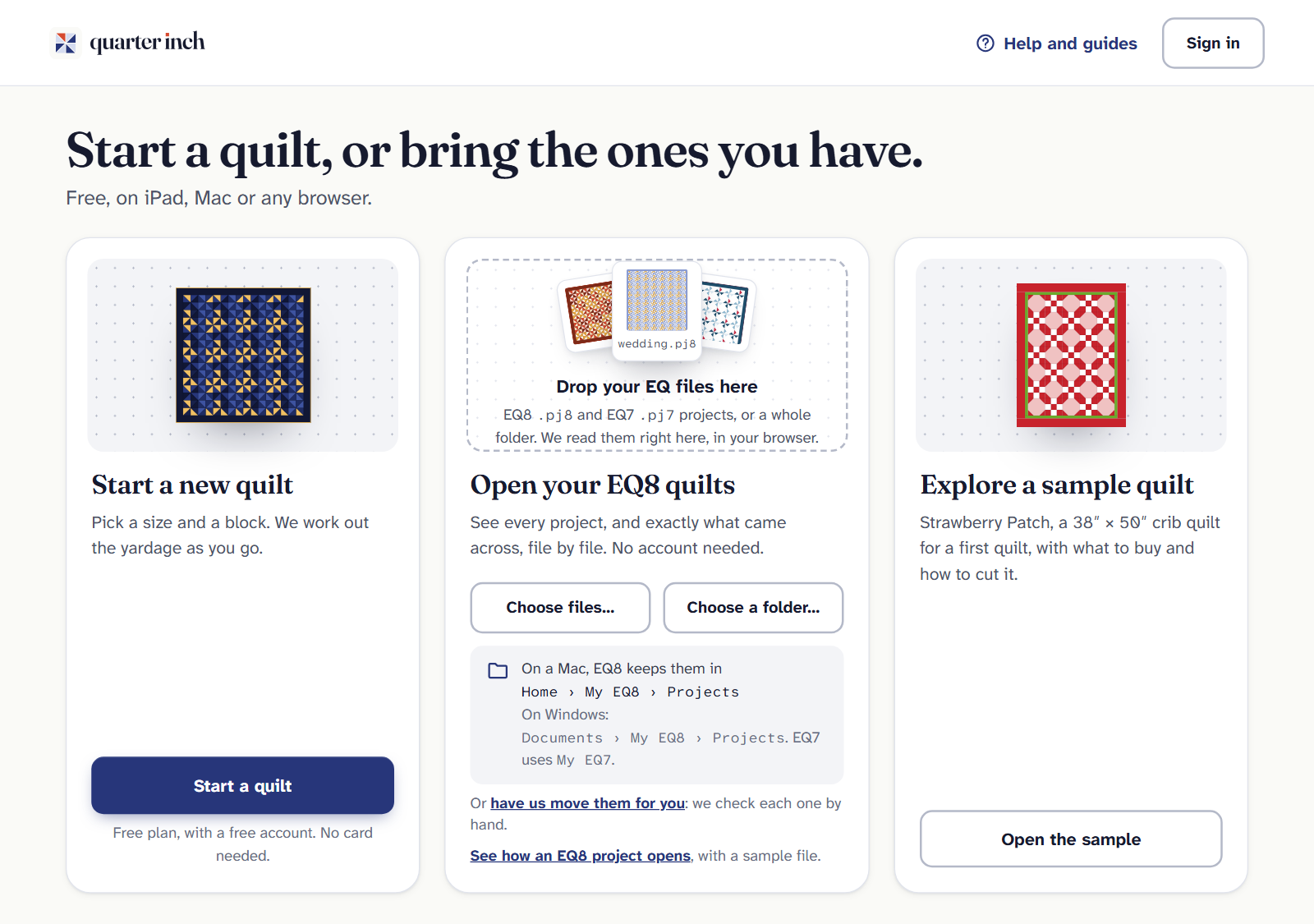
Drop your EQ files here: they’re read in your browser. Each quilt appears under Your quilts as its file is read. Open one to see it drawn, with its fabrics and what came across.
To keep them, choose Save to my library. Type your email, choose Email me a code, and type the code. New here? The same steps make your free account, and your files are uploaded to it.
Where EQ keeps your files
- On a Mac: Home › My EQ8 › Projects.
- On Windows: Documents › My EQ8 › Projects.
- EQ7 uses a folder called My EQ7.
Can’t find them? See Where are my EQ8 files?
Nothing is uploaded until you save
Before you save, your files are read right there in your browser. The band at the top says Open in this browser only. Close the tab and the quilts close too: Quarter Inch asks first if you try to leave.
Your files stay as they are. Quarter Inch reads your EQ files and never changes them. When you save, it keeps its own copy so it can read the file again as the reader improves. You can turn that off in your account.
It’s free
Opening, importing, viewing and exporting EQ quilts are free on every plan, and they never count toward the Free plan’s quilts. An EQ quilt counts only when you first change it.
If it doesn’t look right
- “Not an EQ project.” Look for a file ending in .pj8 or .pj7. A picture or PDF with the same name isn’t the project.
- A file says Couldn’t read or Not yet. See If an EQ file won’t open.
- Want to see how it works first? Choose See how an EQ8 project opens for a sample file.
Checked against the app on
Questions
Short answers.
Something else? A real person replies.
hello@quarterinch.app
Can I open a .pj8 file without EQ8?
Yes. Quarter Inch opens .pj8 and .pj7 files in your browser, free, with no account.
Are my files uploaded when I open them?
No. They’re read in your browser. Nothing is uploaded until you choose Save to my library.
Does Quarter Inch change my EQ files?
No. It reads them and never changes your originals.
Do I need to pay to open EQ files?
No. Opening, importing, viewing and exporting EQ quilts are free on every plan.