What’s new · Cutting
Cut at the mat with your phone
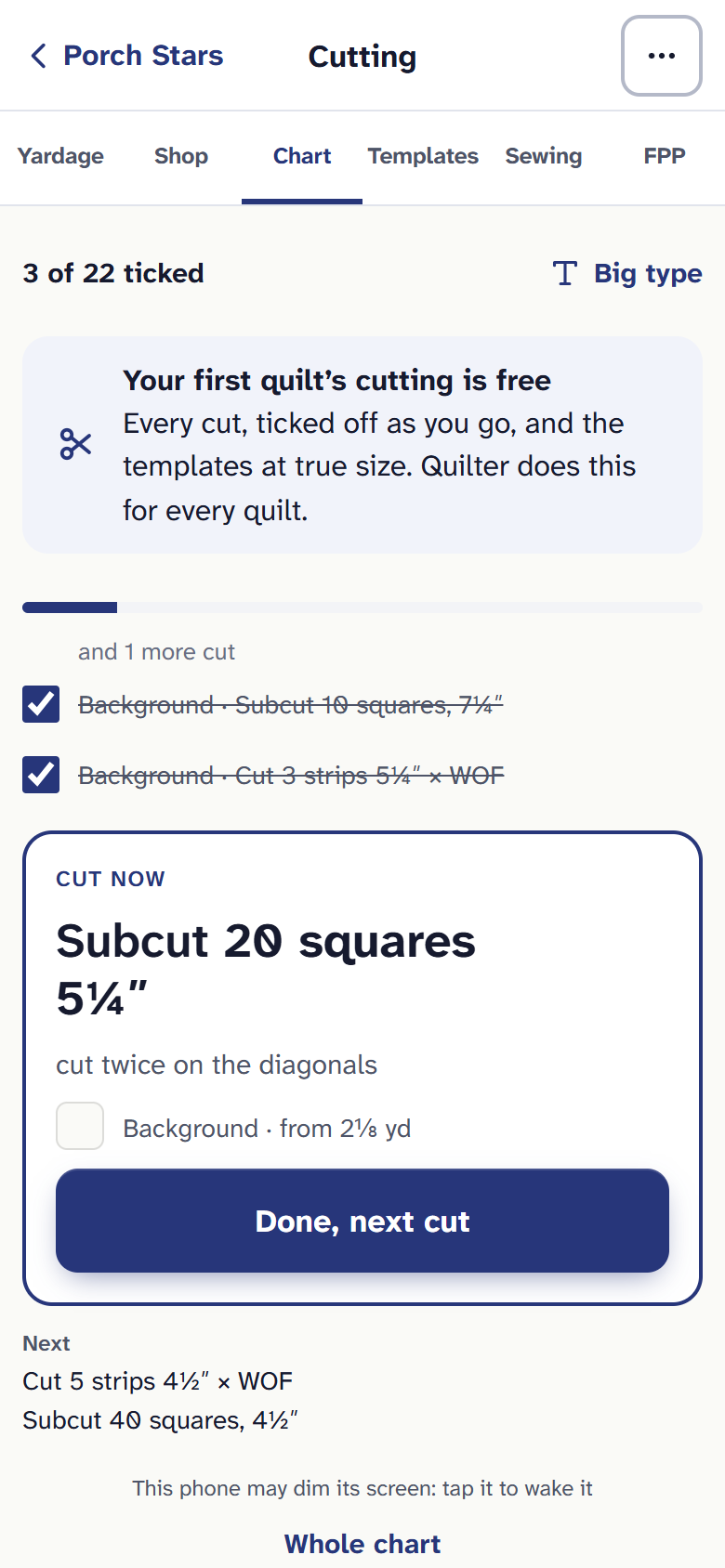
The next cut, big, and one button for Done. The screen stays on while you cut.
On this page
In short
On a phone, the cutting chart has a Cut now view: the next cut as one large card, with a big Done, next cut button. The screen stays on while you cut. On a second quilt you can pay for Quilter right there, and come straight back to that cut.
One cut at a time
Cut now shows what to cut, its size and the fabric it comes from, then waits for you. Tap Done, next cut and the next cut comes up.
The screen stays on while Cut now is open, so it doesn’t go dark between cuts.
Whole chart brings back the full list whenever you want it. What you’ve ticked stays ticked.
Big type is one tap away at the top of the chart.
Pay on your phone, then back to the cut
Your first quilt’s cutting chart is free. On a second quilt, the Quilter offer now opens as a sheet on your phone that names the quilt and counts its strips and pieces. After you pay, You’re a Quilter takes you straight back to that cut.
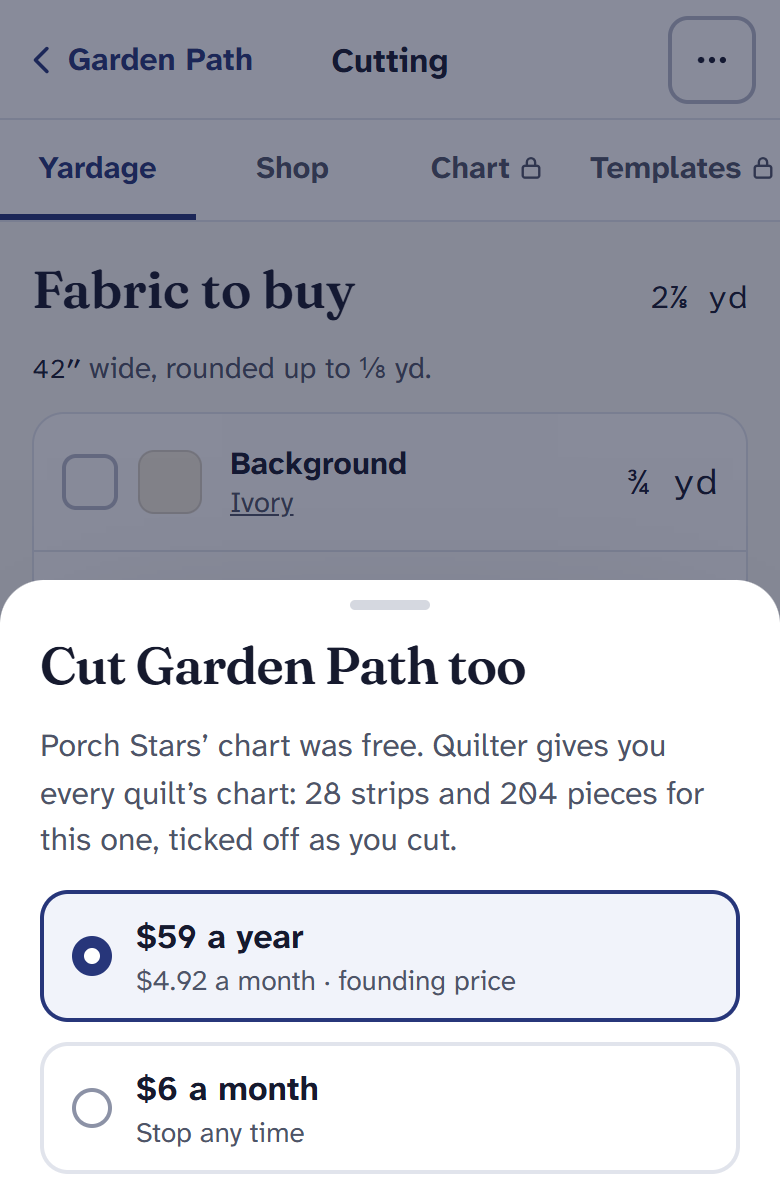
Why. Quilter is used at the cutting mat, where a phone or an iPad sits. Paying shouldn’t mean finding a computer first.
Where to find it
Opens your quilts. Your first quilt’s cutting chart is free.