What’s new · Your quilts
We ask before deleting a quilt with work in it
Keep it is the main button, and your library tells you what’s in Recently deleted, and until when.
On this page
In short
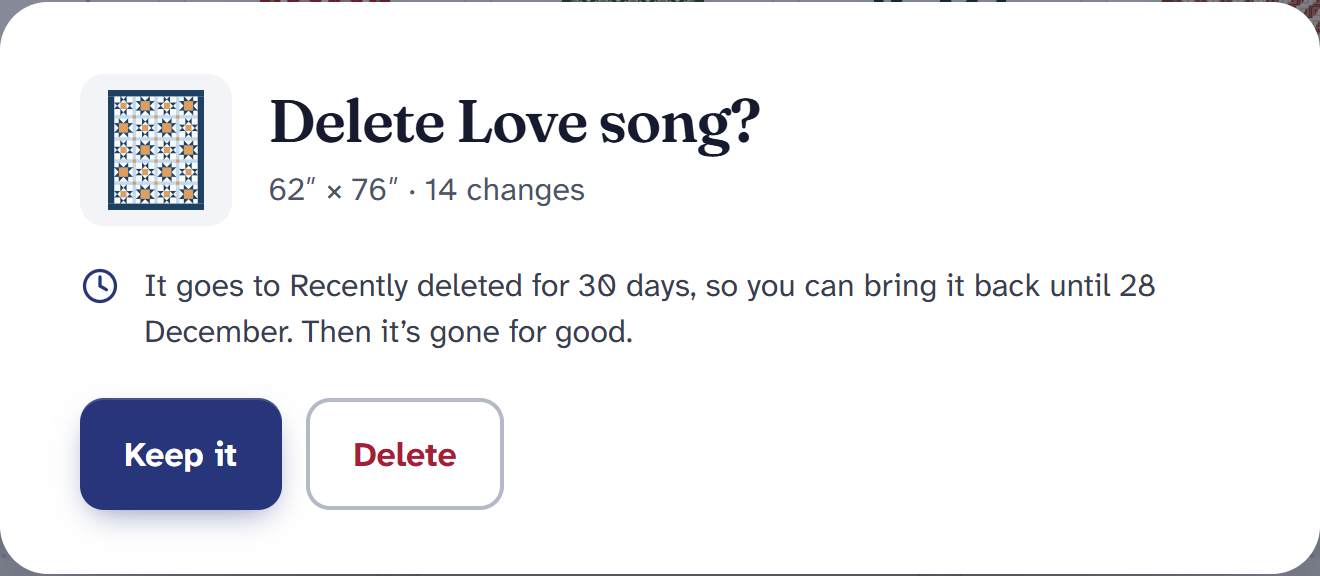
Deleting a quilt with 10 or more saved changes, or one that uses a block you drew, now asks first. The dialog shows the quilt’s picture, size and number of changes, and the real date until which it can come back.
Why. A quilter deleted three quilts she had designed, 143 changes between them, and nothing in her library pointed her to Recently deleted. Losing work is the worst thing that can happen here.
Keep it comes first
The dialog names the quilt and shows it, so you know it’s the right one. Keep it is the main button; Delete sits beside it. Deleting a whole EQ file adds up the work across all its quilts.
Your library remembers
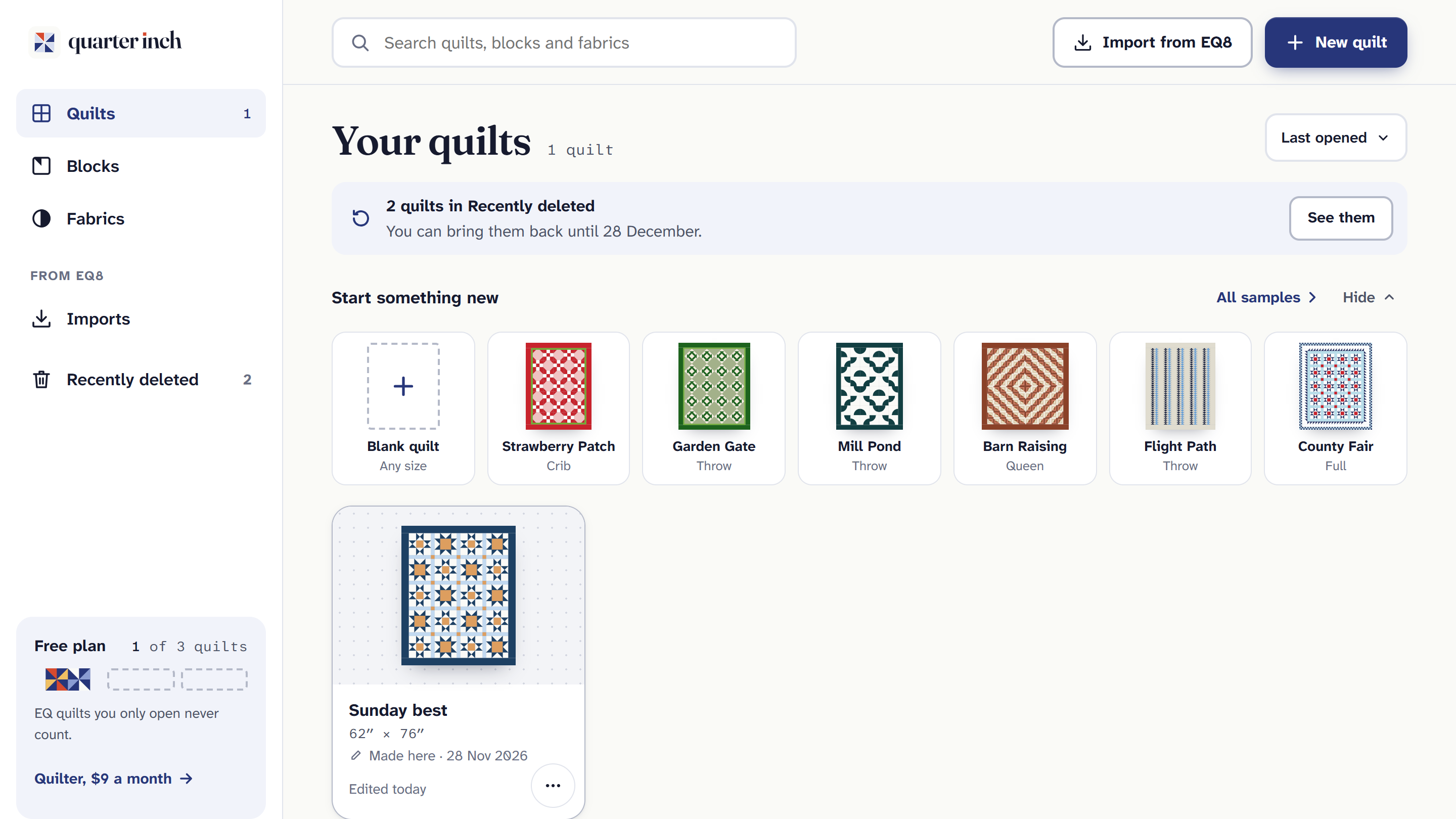
While Recently deleted holds anything, Quilts shows a card at the top: how many quilts are there, the date you can bring them back until, and See them.

Where to find it
Quilts › a quilt’s More › Delete…. To bring one back: See them on the card, or Recently deleted.
Opens your quilts.